
You are viewing the macOS 26 version of this guide, recorded on macOS Tahoe 26 (MacBook Pro) on 4 October 2026. It is kept as it was and not updated. See the macOS 27 version.
howtosimply.com/guides/how-to-play-stereo-sound-as-mono-on-a-mac/ · Checked 4 October 2026 · MacBook Pro · macOS Tahoe 26
In this guide
Open System Settings, click Accessibility, then Audio, and switch on Play stereo audio as mono. The Mac then plays stereo audio tracks as mono audio in the left and right speakers or headphones, so both sides carry the whole sound.
3 of 3 steps with real screenshots · 1 official source below
- Device
- Mac
- Shown on
- macOS Tahoe 26 (MacBook Pro)
- App
- System Settings
- Real screenshots
- 3 of 3 steps
- Checked
- 4 October 2026
- Sources
- 1 official, linked below
Step by step
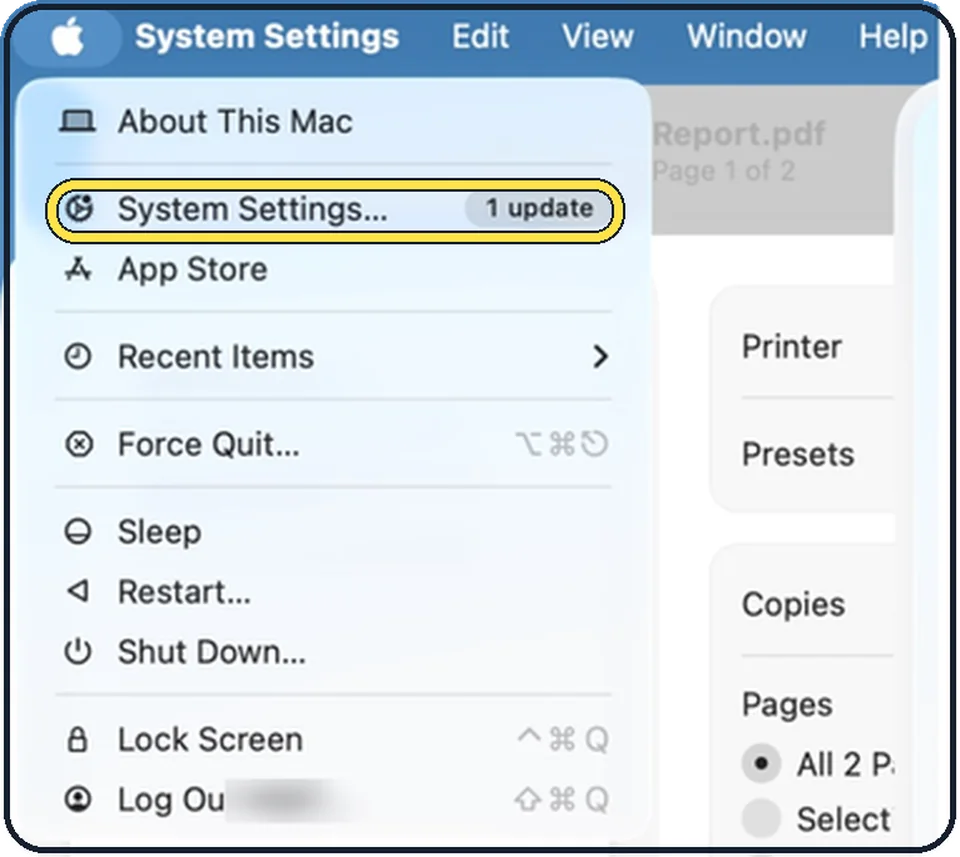
Tap the picture to see it full size Open System Settings
Click the Apple menu in the top left corner of the screen and choose System Settings.
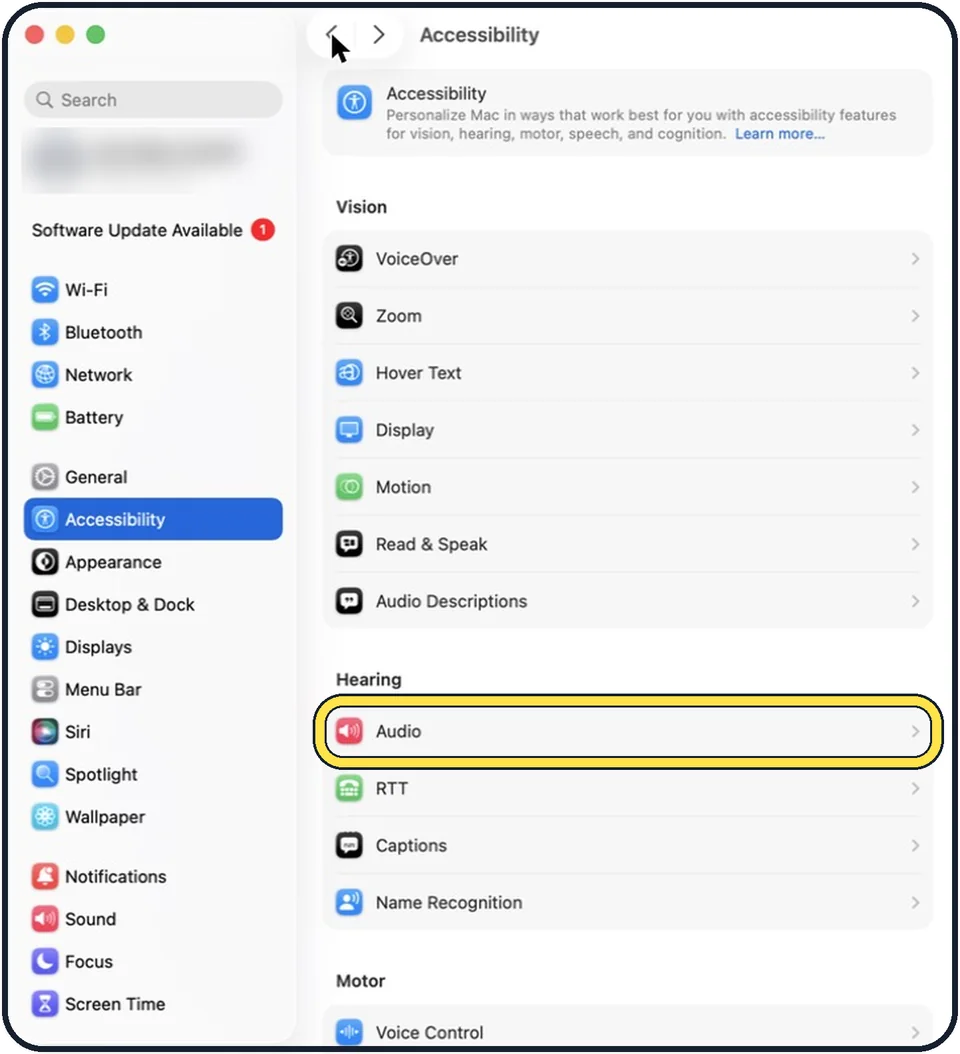
Tap the picture to see it full size Click Accessibility, then Audio
Accessibility is in the sidebar. Audio is the first row of the Hearing group on the right.
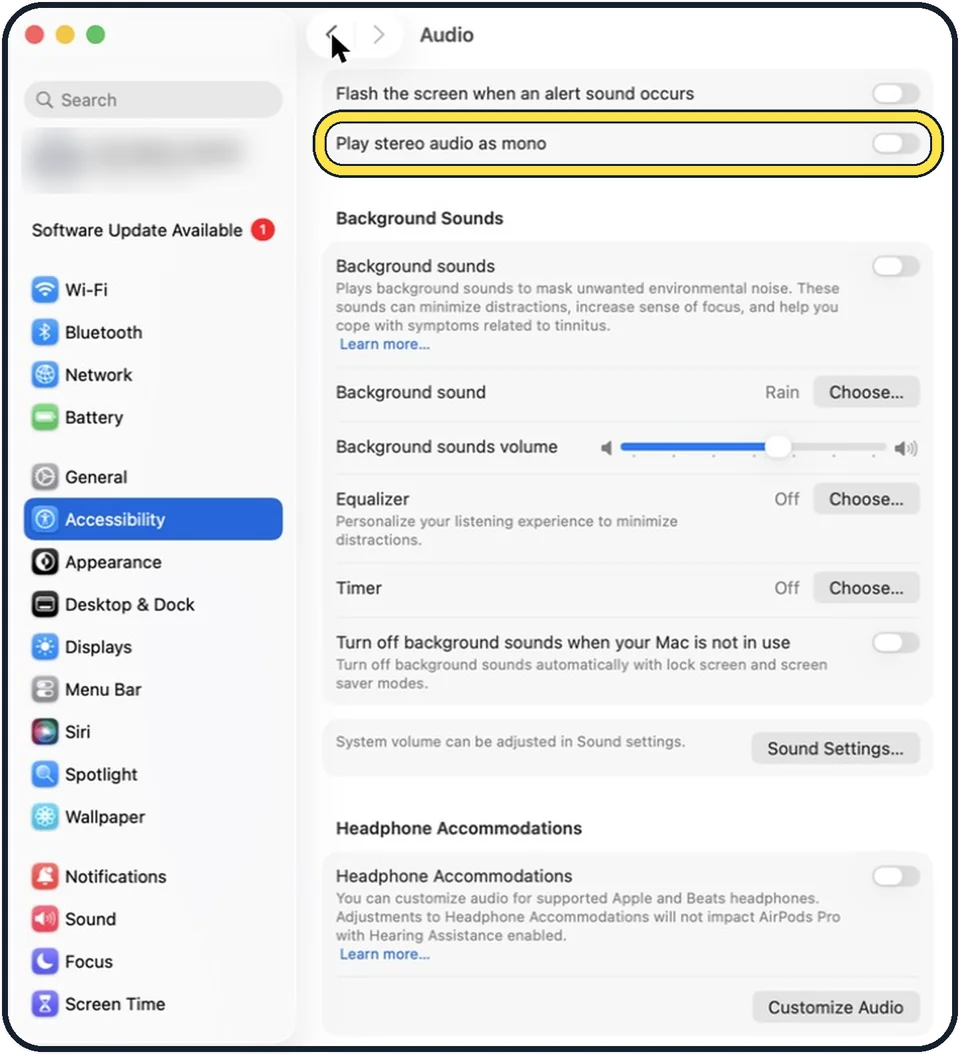
Tap the picture to see it full size Switch on Play stereo audio as mono
It is the second switch on the page. In the picture it is off.
What we saw on our device
- Click Accessibility in the sidebar: On our MacBook Neo, Accessibility is near the top of the sidebar, just below General.
- Click Audio: On our MacBook Neo, Audio is the second row under Hearing, below Hearing Devices and above Subtitles and Captioning and Live Captions.
- Switch on Play stereo audio as mono: On our MacBook Neo it was off to start with.
About this guide
Stereo music puts some instruments or voices on the left and others on the right. With one earbud in, or with hearing in one ear, part of the sound is missing. Mono sends everything to both sides.
The screenshots show System Settings on macOS Tahoe 26.
Good to know
The system volume and the output device are in Sound settings. The Sound Settings button further down the page opens them.
In short: System Settings > Accessibility > Audio > Play stereo audio as mono.
Links checked in October 2026. Menus and features can change after software updates. These steps match the version named at the top.
Did this guide work for you?
Sorry about that. What happened?