
You are viewing the macOS 26 version of this guide, recorded on macOS Tahoe 26 (MacBook Pro) on 4 October 2026. It is kept as it was and not updated. See the macOS 27 version.
howtosimply.com/guides/how-to-fix-sound-that-is-louder-on-one-side-on-a-mac/ · Checked 4 October 2026 · MacBook Pro · macOS Tahoe 26
In this guide
Open System Settings, click Sound, and under Output drag the Balance slider back to the middle. Balance adjusts the output volume between the left and right channels. If it has slipped to one side, one speaker or earbud sounds quieter.
4 of 4 steps with real screenshots · 3 official sources below
- Device
- Mac
- Shown on
- macOS Tahoe 26 (MacBook Pro)
- App
- System Settings
- Real screenshots
- 4 of 4 steps
- Checked
- 4 October 2026
- Sources
- 3 official, linked below
Step by step
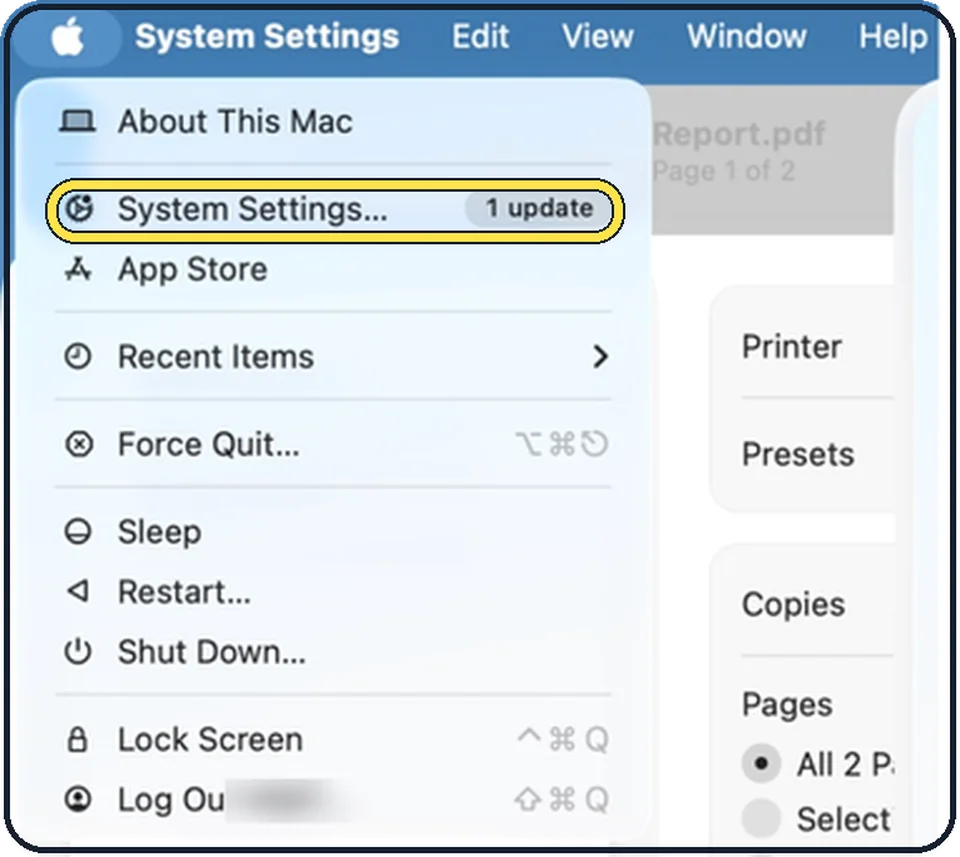
Tap the picture to see it full size Open System Settings
Click the Apple menu in the top left corner of the screen and choose System Settings.
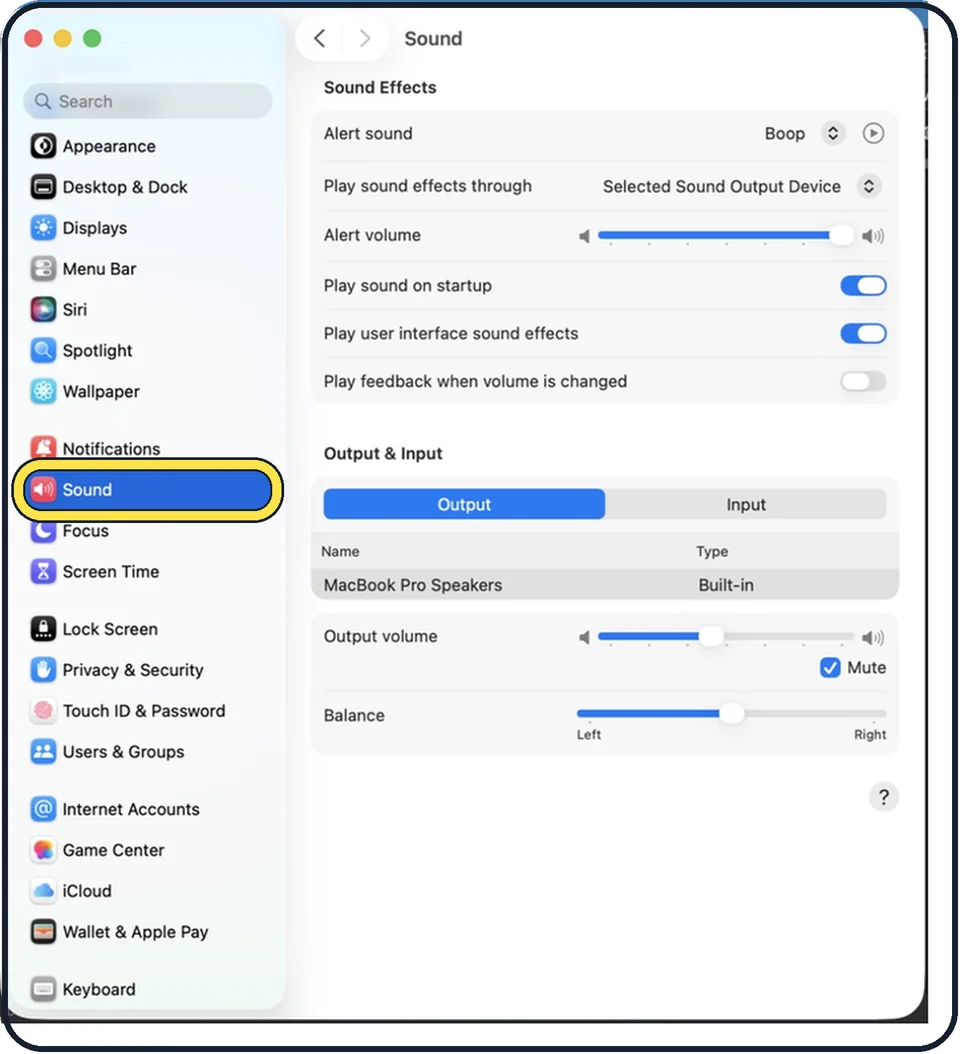
Tap the picture to see it full size Click Sound in the sidebar
Sound is in the group with Notifications and Focus. You may need to scroll down in the sidebar.
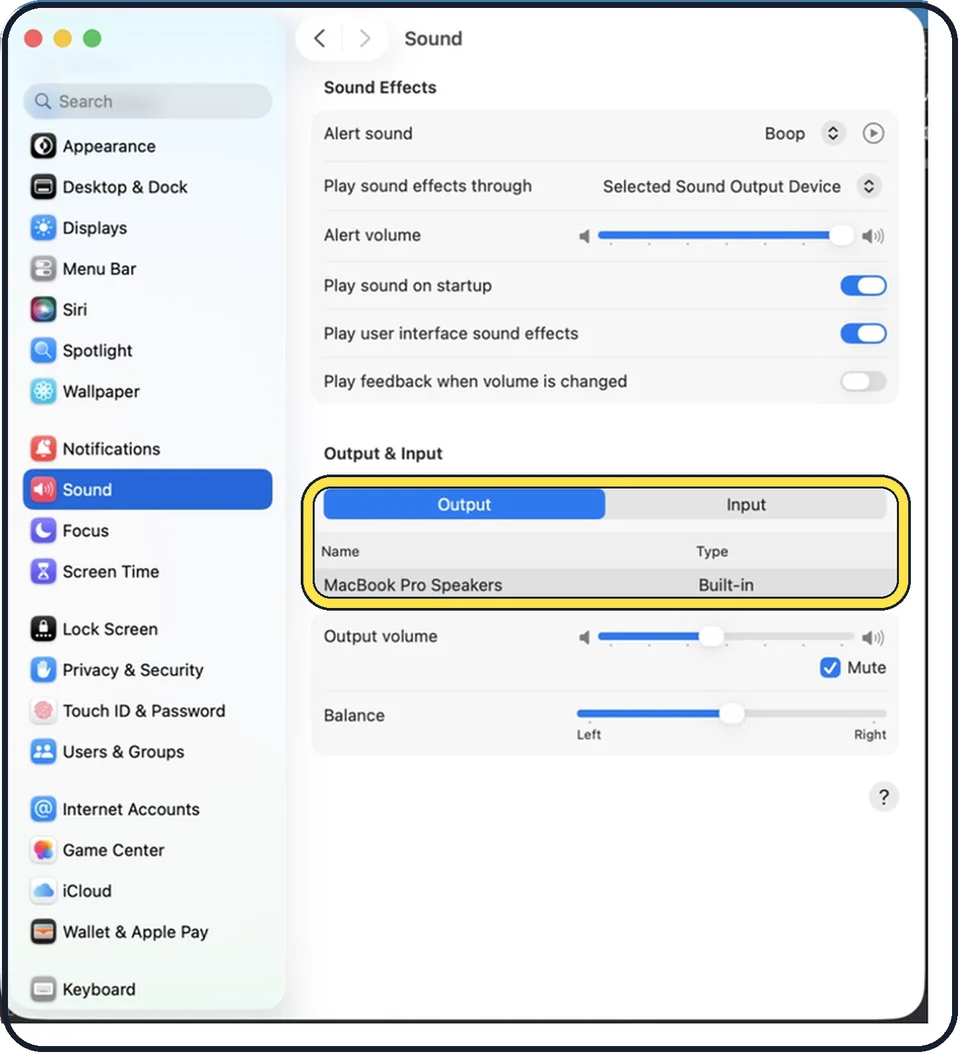
Tap the picture to see it full size Select the output device
Under Output & Input, with Output selected, click the device you are listening on. In the picture it is MacBook Pro Speakers.
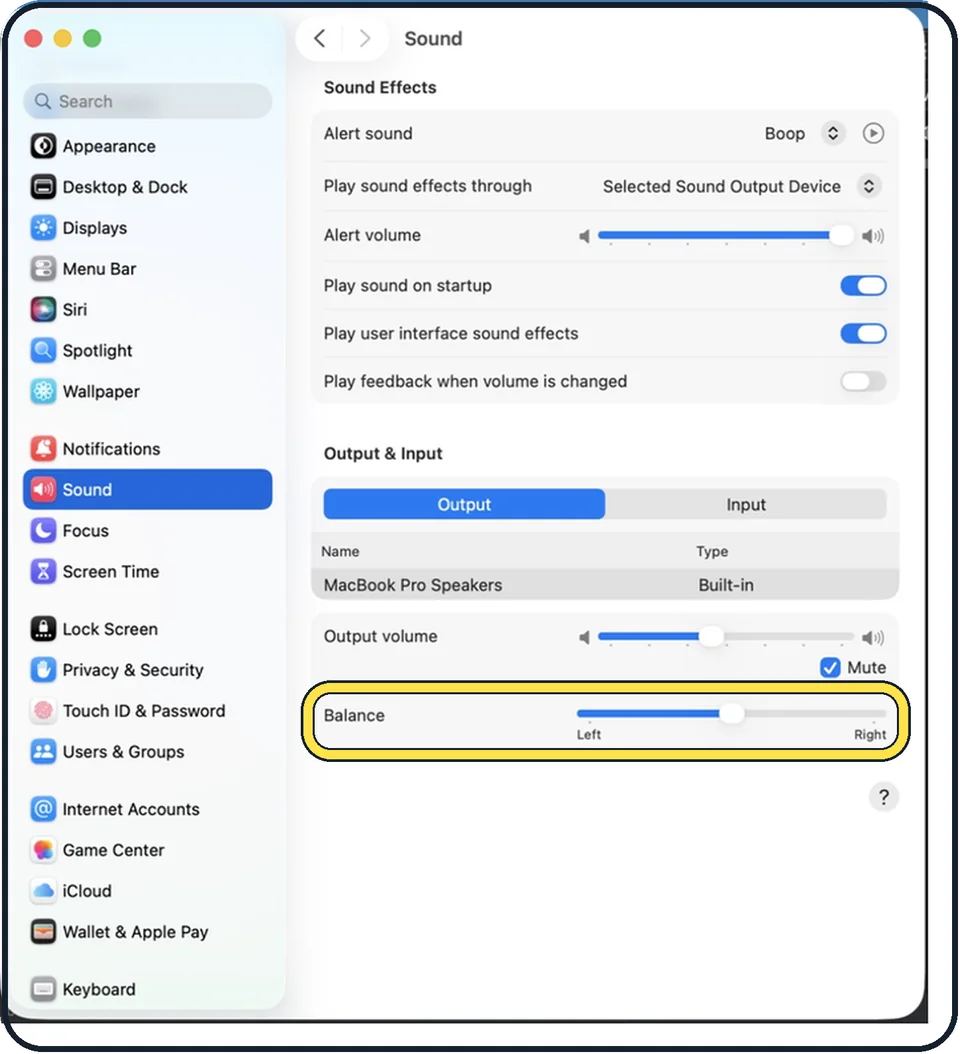
Tap the picture to see it full size Drag Balance to the middle
The slider goes from Left to Right. In the picture it is in the middle.
About this guide
When music comes mostly from the left or the right, the cause is often a setting and not a broken speaker. The Balance slider in the Sound settings shifts the volume between the two channels.
The screenshots show System Settings on macOS Tahoe 26.
Good to know
Output volume and the Mute checkbox are just above the Balance slider.
If you hear with one ear, mono may suit you better than balance: how to play stereo sound as mono on a Mac.
In short: Apple menu > System Settings… > Sound > Output > your device > Balance to the middle.
Links checked in October 2026. Menus and features can change after software updates. These steps match the version named at the top.
Did this guide work for you?
Sorry about that. What happened?