
You are viewing the macOS 26 version of this guide, recorded on macOS Tahoe 26 (MacBook Pro) on 4 October 2026. It is kept as it was and not updated. See the macOS 27 version.
howtosimply.com/guides/how-to-change-the-accent-colour-on-a-mac/ · Checked 4 October 2026 · MacBook Pro · macOS Tahoe 26
In this guide
Open System Settings, click Appearance, and click a colour under Theme. Buttons, pop-up menus and other controls then use that colour. Multicolor, the first circle, lets each app use its own colour.
4 of 4 steps with real screenshots · 3 official sources below
- Device
- Mac
- Shown on
- macOS Tahoe 26 (MacBook Pro)
- App
- System Settings
- Real screenshots
- 4 of 4 steps
- What we did
- Performed: we made the change on our device and show the result
- Checked
- 4 October 2026
- Sources
- 3 official, linked below
Step by step
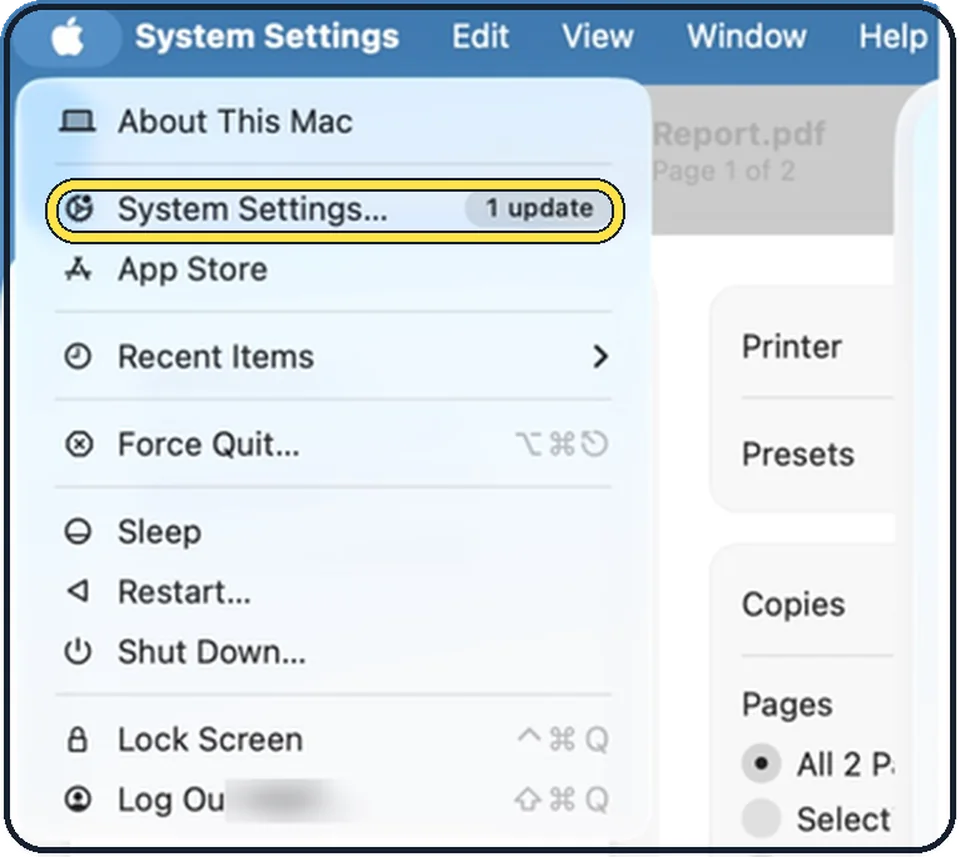
Tap the picture to see it full size Open System Settings
Click the Apple menu in the top left corner of the screen and choose System Settings.
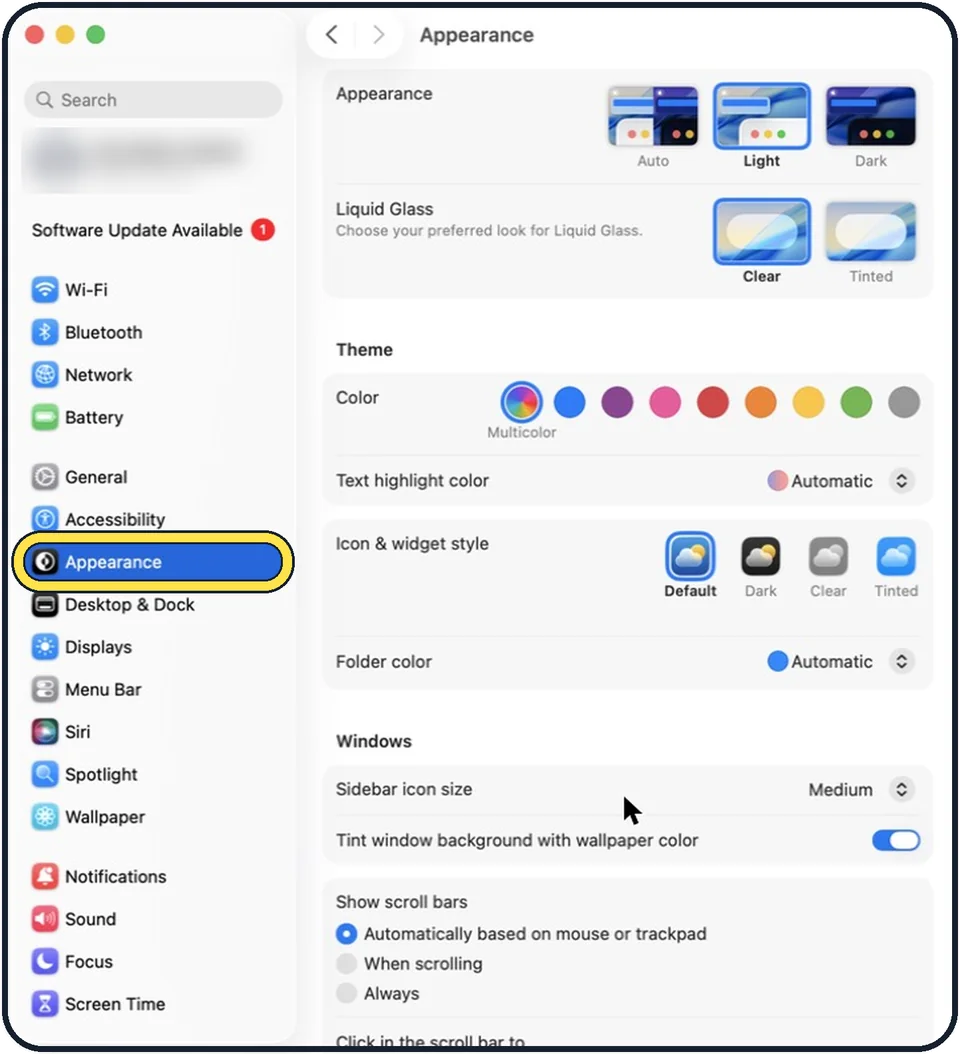
Tap the picture to see it full size Click Appearance in the sidebar
Appearance is below Accessibility.
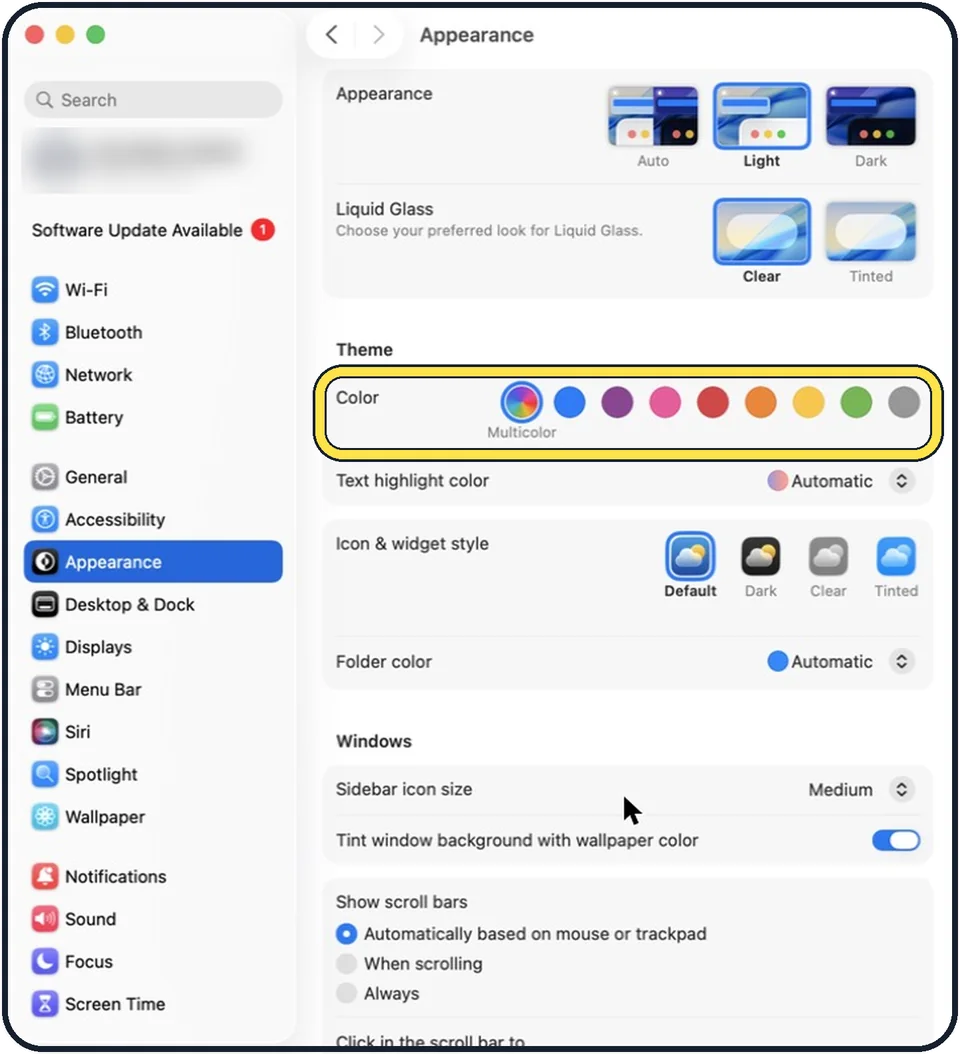
Tap the picture to see it full size Click a colour
The circles are in the Color row under Theme. In the picture Multicolor is selected.
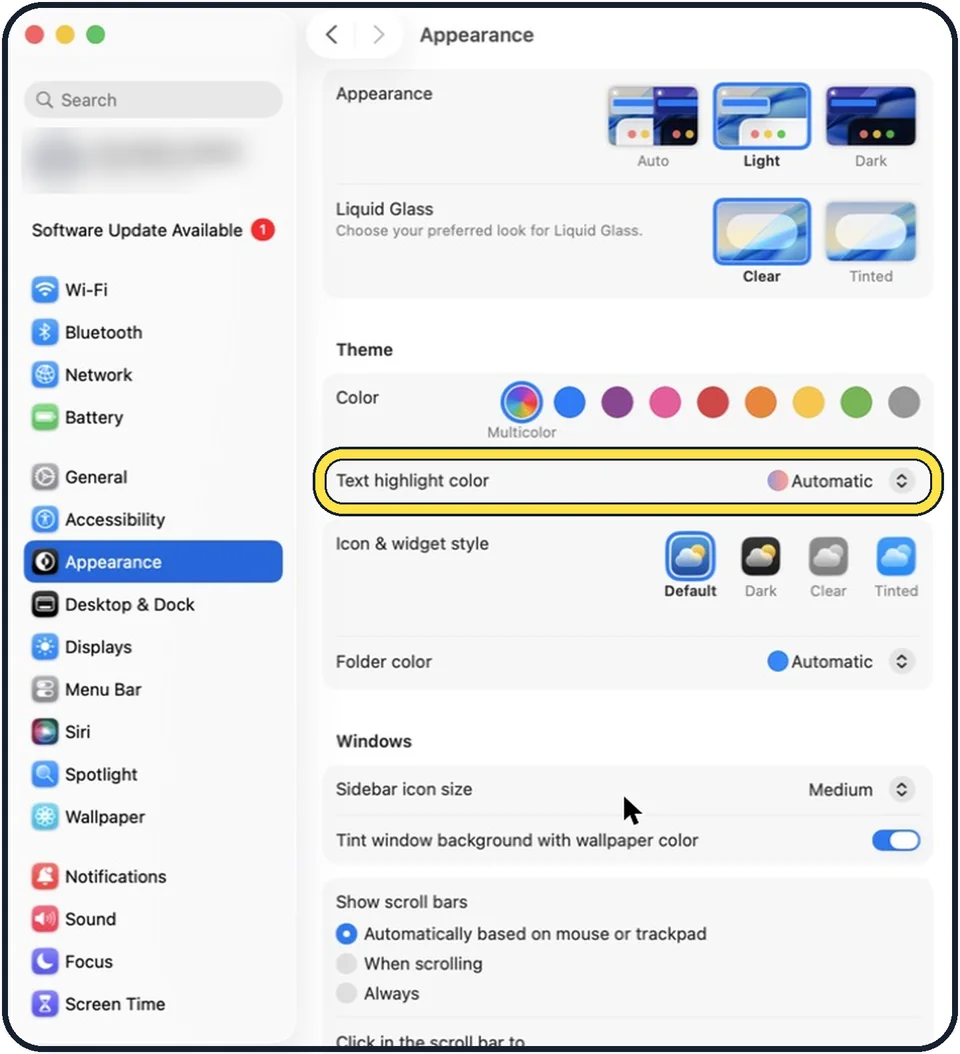
Tap the picture to see it full size Choose the highlight colour for text
Text highlight color, the next row, sets the colour used for highlighting selected text. In the picture it is Automatic.
About this guide
The blue of buttons and selected menu items on a Mac is a choice, not a fixed design. Nine options are offered: Multicolor and eight single colours.
The screenshots show System Settings on macOS Tahoe 26.
Good to know
Light and dark appearance are at the top of the same page: how to turn on dark mode on a Mac.
In short: Apple menu > System Settings… > Appearance > Theme > Color.
Links checked in October 2026. Menus and features can change after software updates. These steps match the version named at the top.
Did this guide work for you?
Sorry about that. What happened?