
howtosimply.com/guides/how-to-change-the-language-on-a-nothing-phone/ · Checked October 2026 · 4a) Pro (A069P, EEA), Nothing OS 4.1, Android 16 (build FroggerPro-B4.1-260907-1153-EEA · Nothing Phone
In this guide
Open Settings, System, Languages, System languages, tap Add a language and pick one. The phone uses the first language in the list; one app can have its own under App languages.
3 of 3 steps with real screenshots · 1 official source below
- Device
- Android
- Shown on
- Nothing Phone (4a) Pro (A069P, EEA), Nothing OS 4.1, Android 16 (build FroggerPro-B4.1-260907-1153-EEA)
- App
- Settings
- Path
- Settings › System › Languages › System languages › Add a language
- Real screenshots
- 3 of 3 steps
- Checked
- October 2026
- Sources
- 1 official, linked below
Step by step
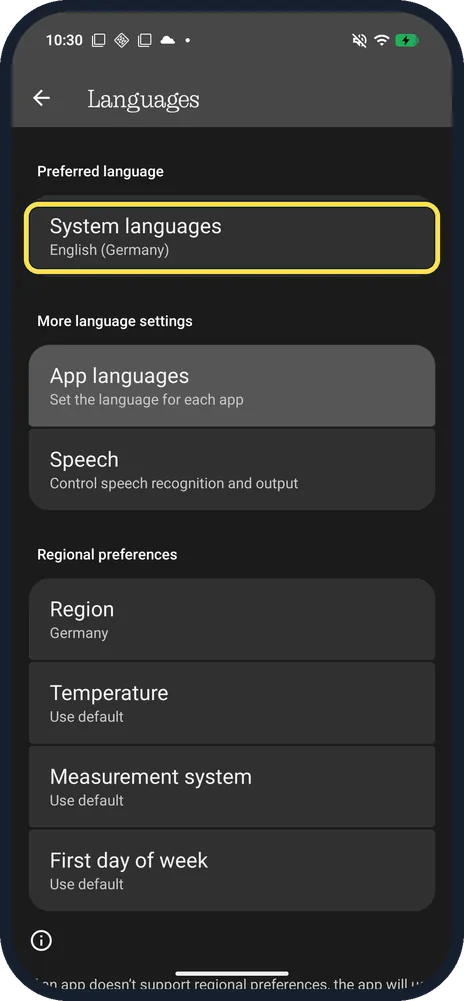
Tap System languages
Open Settings, System, Languages. App languages, Speech and Regional preferences are on the same page.
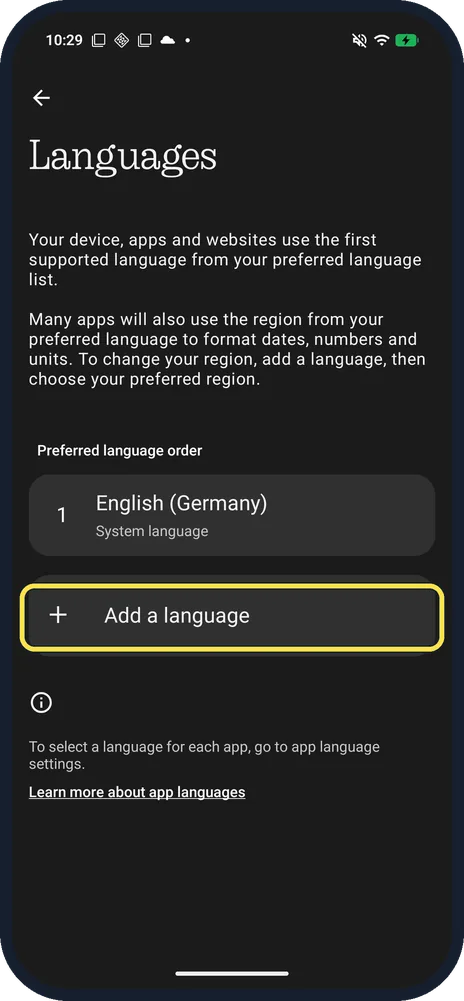
Tap Add a language
Below Preferred language order. The page says your device, apps and websites use the first supported language in the list.
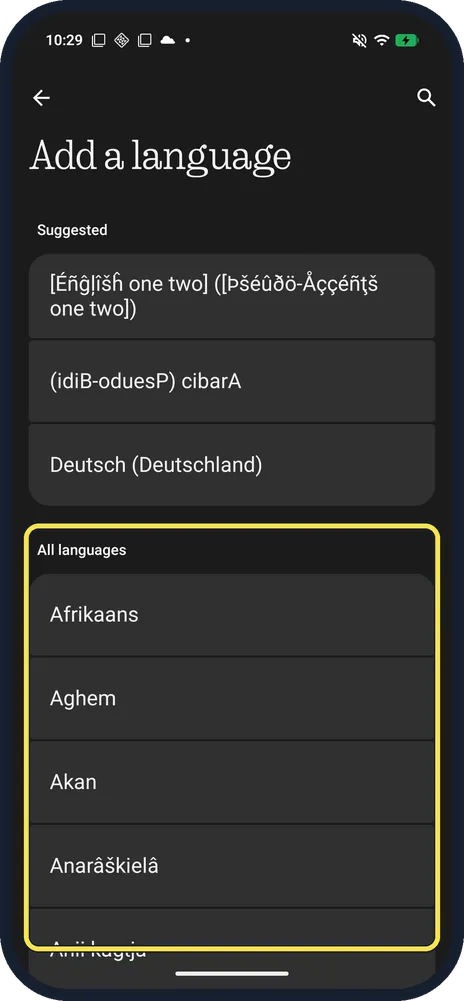
Pick the language
Scroll All languages or search with the magnifier at the top right. Two odd test entries at the top of ours came from Developer options.
If you do not see this option
- One app in another language? Languages, App languages sets one per app. All of ours were System default.
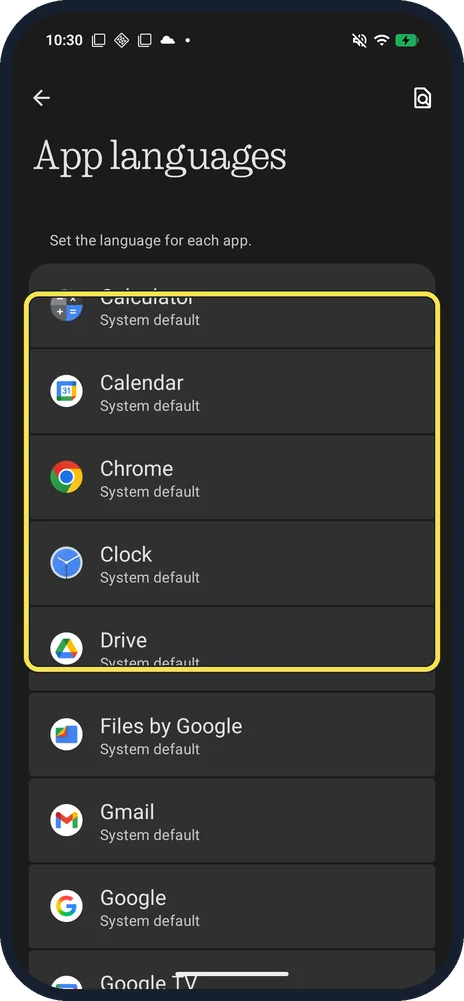
- Date, units or first day of week? Regional preferences on the Languages page: Region (ours Germany), Temperature, Measurement system and First day of week.
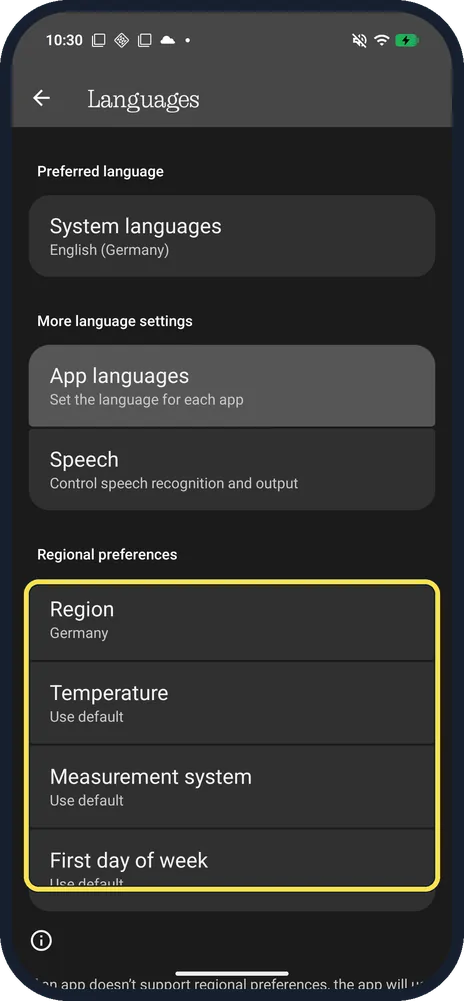
- Different route on another Nothing phone? Nothing gives Settings, System, Language and Region, System languages; on ours the row was called Languages. Source: How do I change the language settings?
If this does not work
- Added it but nothing changed? The phone uses the first supported language: drag the new one to the top of Preferred language order.
- Stuck in a language you can't read? Settings keeps its gear icon. The route is Settings, System (near the bottom), Languages, the first row, then Add a language. Source: How do I change the language settings?
About this guide
The screenshots are from our Nothing Phone (4a) Pro, the European model A069P, with Nothing OS 4.1 and Android 16 (build FroggerPro-B4.1-260907-1153-EEA), in Dark theme. Ours used English (Germany). We opened the picker and added nothing.
Good to know
To change how the clock looks, see lock screen clock.
In short: Settings, System, Languages, System languages, Add a language.
Links checked in October 2026. Menus and features can change after software updates. These steps match the version named at the top.
Did this guide work for you?
Sorry about that. What happened?