
macOS 27 compared with macOS 26: We rewrote this guide on macOS 27.0.1 (MacBook Neo): it now has 4 steps instead of 3. The macOS 26 page keeps the steps and screenshots as they were.
howtosimply.com/guides/how-to-make-a-mac-ask-before-saving-changes/ · Checked October 2026 · MacBook Neo · macOS 27.0.1
In this guide
Open System Settings, click Desktop & Dock, scroll to Windows and switch on Ask to keep changes when closing documents. When you close an edited document, the Mac then asks whether to save the changes.
4 of 4 steps with real screenshots · 3 official sources below
- Device
- Mac
- Shown on
- macOS 27.0.1 (MacBook Neo)
- App
- System Settings
- Real screenshots
- 4 of 4 steps
- What we did
- Performed: we made the change on our device and show the result
- Checked
- October 2026
- Sources
- 3 official, linked below
Step by step
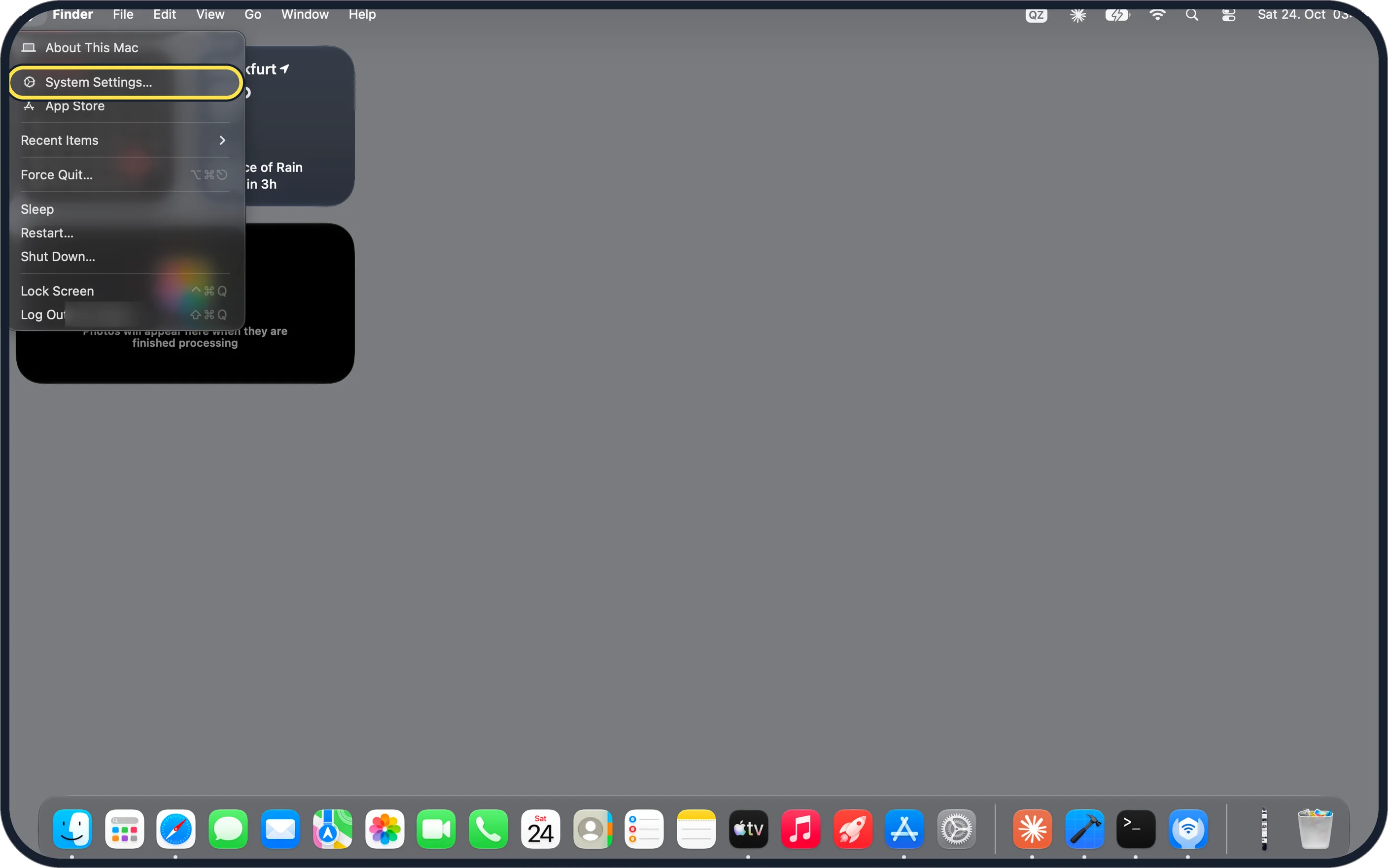
Zoomed in on the setting. Tap to see the whole screenTap the picture to see it full size Open System Settings
Click the Apple menu in the top-left corner of the screen and choose System Settings….
On our MacBook Neo it is the second item, below About This Mac.
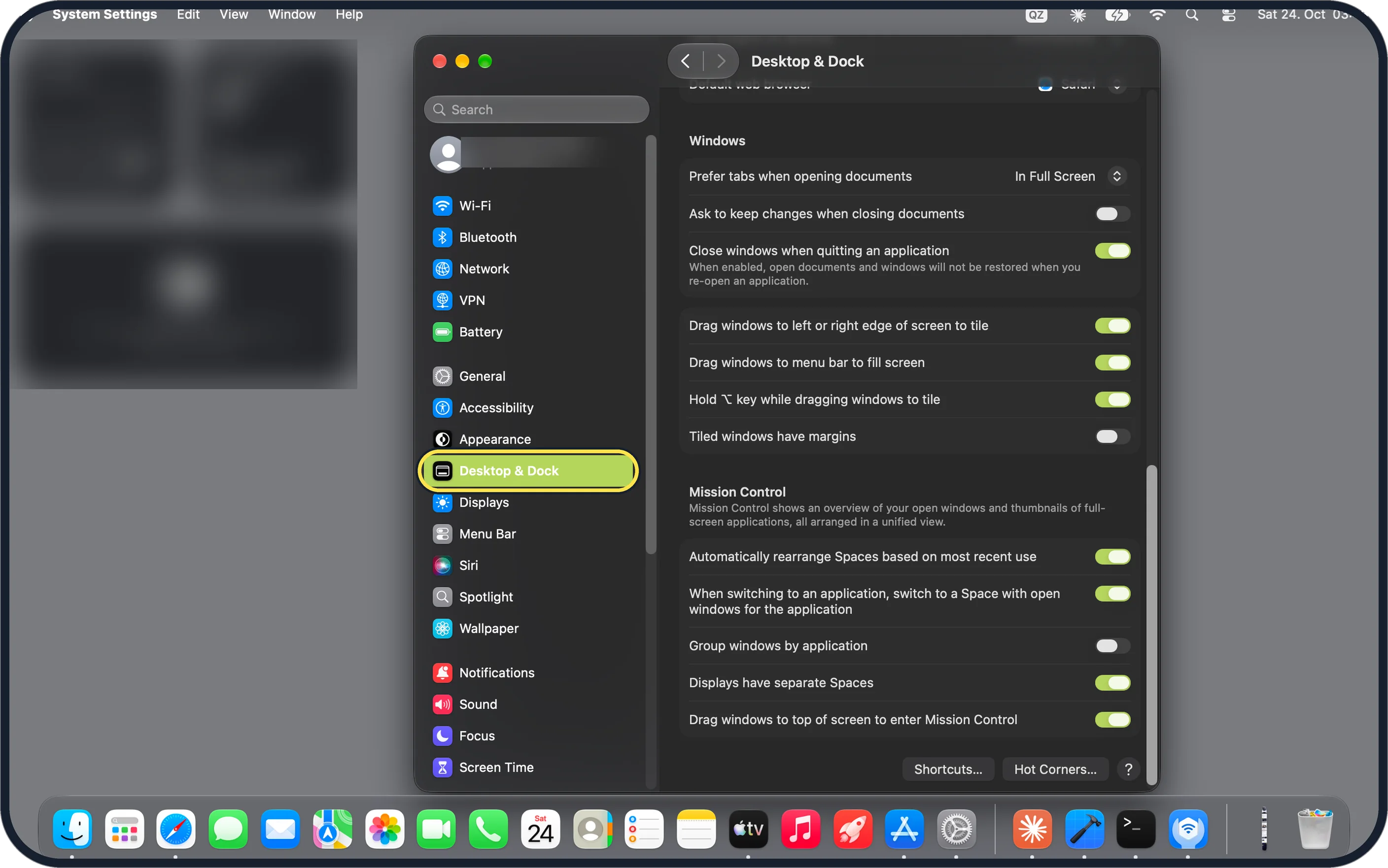
Zoomed in on the setting. Tap to see the whole screenTap the picture to see it full size Click Desktop & Dock in the sidebar
It is below Appearance. You may need to scroll down the sidebar.
Then scroll down the page to the Windows group.
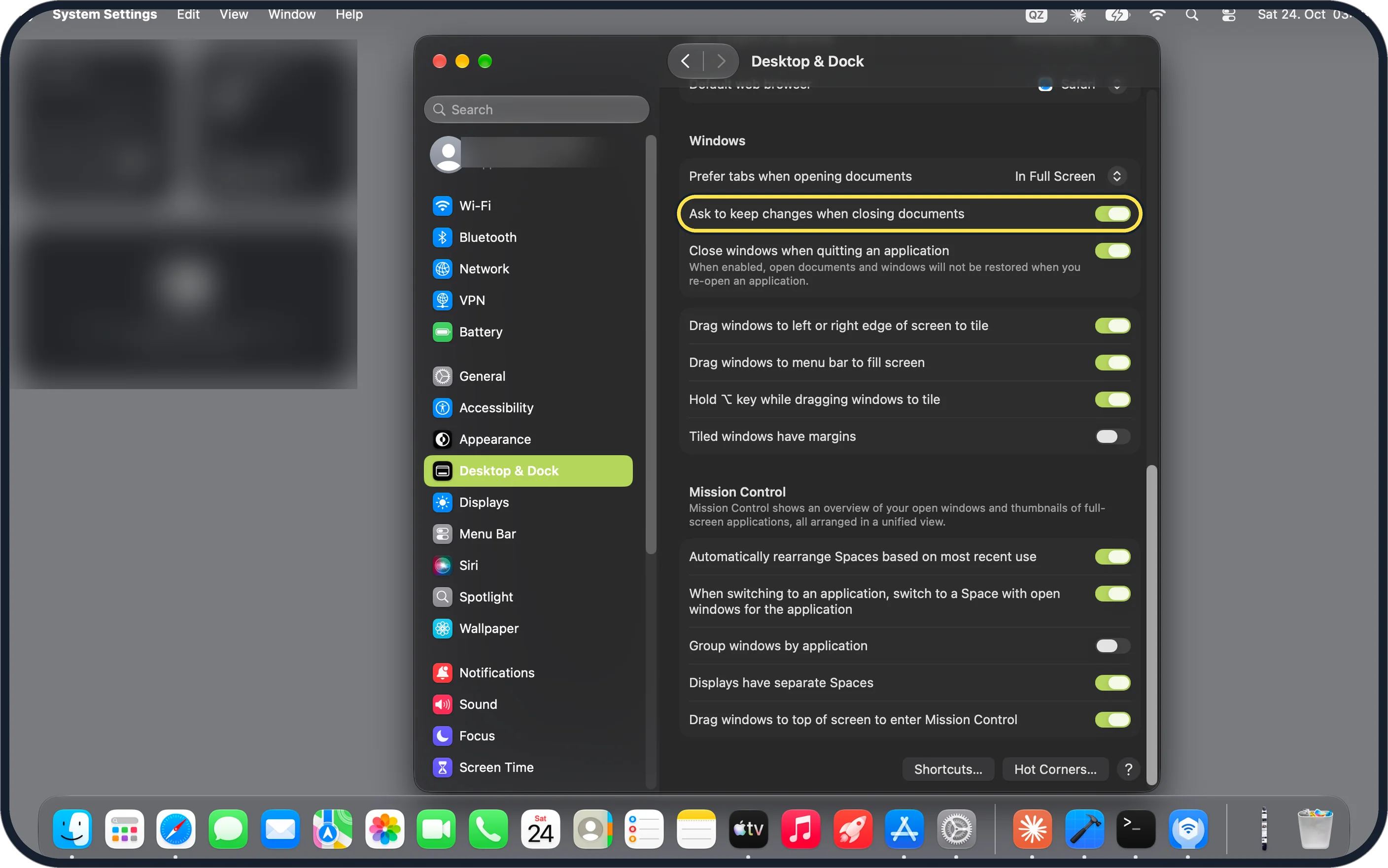
Zoomed in on the setting. Tap to see the whole screenTap the picture to see it full size Switch on Ask to keep changes when closing documents
It is the second row of the Windows group, below Prefer tabs when opening documents.
On our MacBook Neo the switch was off until we turned it on.
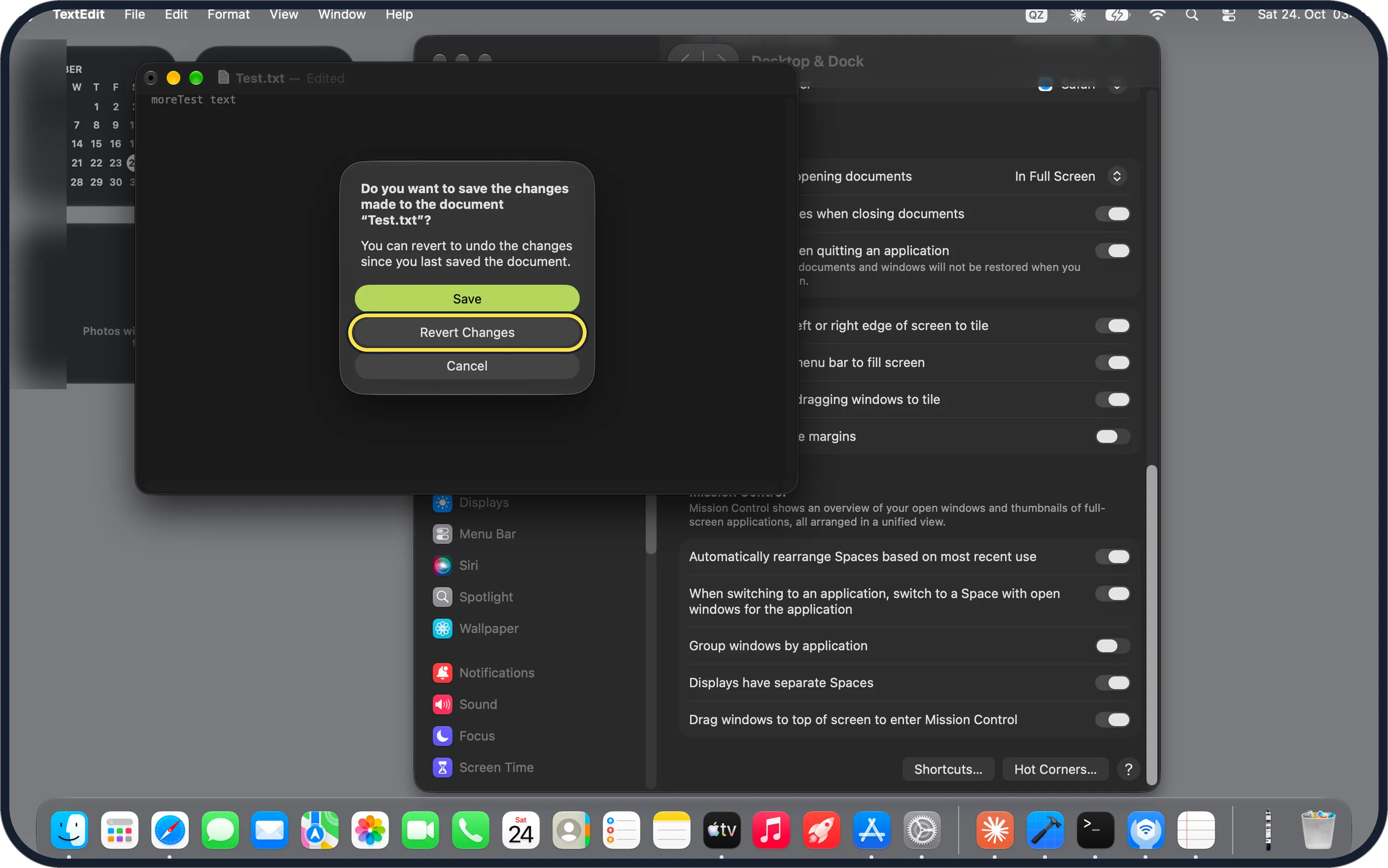
Zoomed in on the setting. Tap to see the whole screenTap the picture to see it full size Close an edited document and choose what to do
The Mac now asks before keeping your changes. Click Save to keep them, Revert Changes to undo them since the last save, or Cancel to go back.
On our MacBook Neo, TextEdit asked: Do you want to save the changes made to the document "Test.txt"?
If you do not see this option
- Your Mac has System Preferences Apple's guide for macOS Monterey 12 says Ask to keep changes when closing documents is a tick box in System Preferences, General. Source: Change Desktop & Dock settings on Mac · Source: View and restore past versions of documents on Mac · Source: Change General preferences on Mac
- The Windows group is not in view Apple lists Windows after the Dock, Desktop & Stage Manager and Widgets groups, so scroll down the Desktop & Dock page. On our MacBook Neo it sits just above the Mission Control group. Source: Change Desktop & Dock settings on Mac · Source: View and restore past versions of documents on Mac · Source: Change General preferences on Mac
- Desktop & Dock is not in the sidebar Scroll down the sidebar. On our MacBook Neo it is between Appearance and Displays.
If this does not work
- The changes were already kept Apple says to choose File, Revert To, then Last Opened, or Browse All Versions to pick an older version. Source: Change Desktop & Dock settings on Mac · Source: View and restore past versions of documents on Mac · Source: Change General preferences on Mac
- You want both versions Apple says to hold Option and click Restore a Copy when browsing versions, or hold Option and choose File, Save As. Source: Change Desktop & Dock settings on Mac · Source: View and restore past versions of documents on Mac · Source: Change General preferences on Mac
- The app never saved by itself Apple says many apps save versions as you work, not all of them. In an app that does not, this switch changes nothing. Source: Change Desktop & Dock settings on Mac · Source: View and restore past versions of documents on Mac · Source: Change General preferences on Mac
About this guide
Many Mac apps save your changes automatically when you close a document, even if you were only trying something out. A switch in Desktop & Dock makes the Mac ask first.
Screenshots: MacBook Neo, macOS 27.0.1, dark mode.
Good to know
Prefer tabs when opening documents, the row above, decides when documents open in a tab and not in a new window: Never, Always or In Full Screen. On our MacBook Neo it was set to In Full Screen.
In short: Apple menu > System Settings… > Desktop & Dock > Windows > Ask to keep changes when closing documents on.
- Mac User Guide: Change Desktop & Dock settings on Mac
- Mac User Guide: View and restore past versions of documents on Mac
- Apple Support: Change General preferences on Mac
Links checked in October 2026. Menus and features can change after software updates. These steps match the version named at the top.
Did this guide work for you?
Sorry about that. What happened?