How to turn dictation on or off on an iPad
By Saadat Rafiq · 2 min read · 5 steps · Updated 5 October 2026
Open Settings, tap General, tap Keyboard and scroll down to Dictation. Switch Enable Dictation on or off. With it on, a microphone key appears on the keyboard, and Auto-Punctuation adds commas, full stops and question marks while you speak.
- Device
- iPad
- Shown on
- iPadOS 26.5 (iPad A16)
- App
- Settings
- Path
- Settings › General › Keyboard › Dictation › Enable Dictation
- Real screenshots
- 4 of 5 steps
- Checked
- October 2026
- Sources
- 1 official, linked below
Step by step
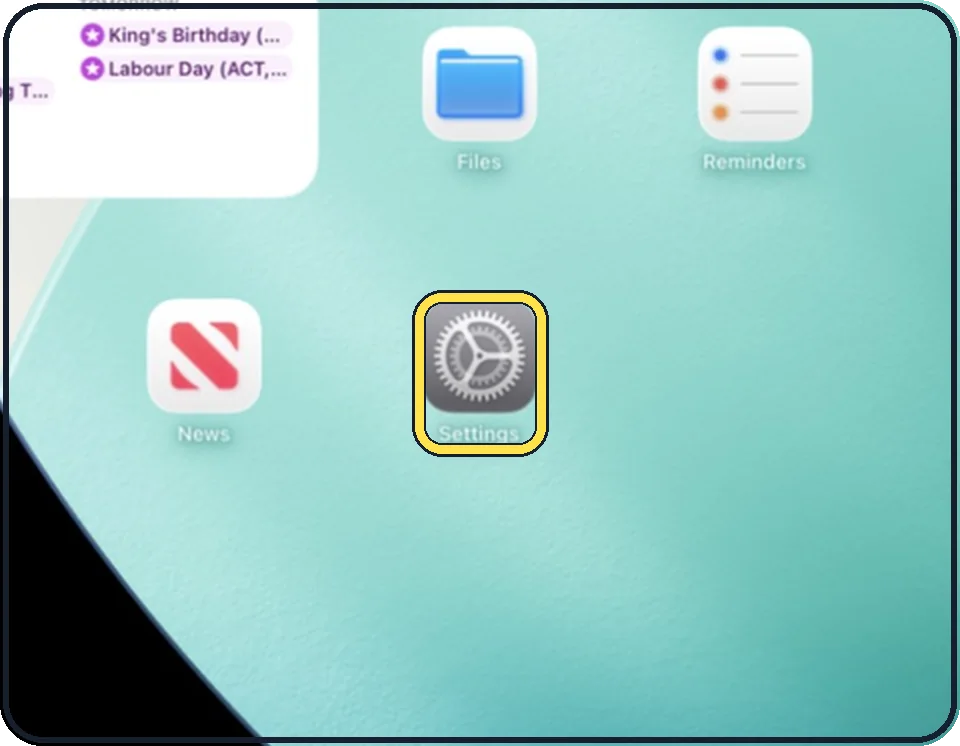
Open Settings
Tap the grey gear icon on the Home Screen. In the picture it is in the second row; it also sits in the Dock at the bottom.
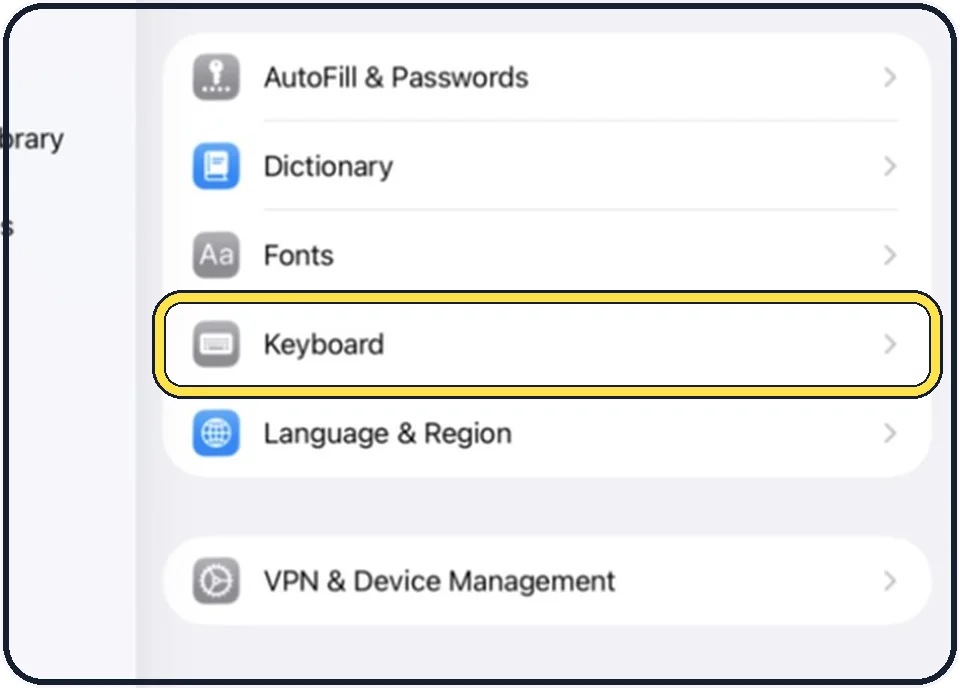
Tap General, then Keyboard
General is at the top of the list on the left. Keyboard is in the second group on the right.
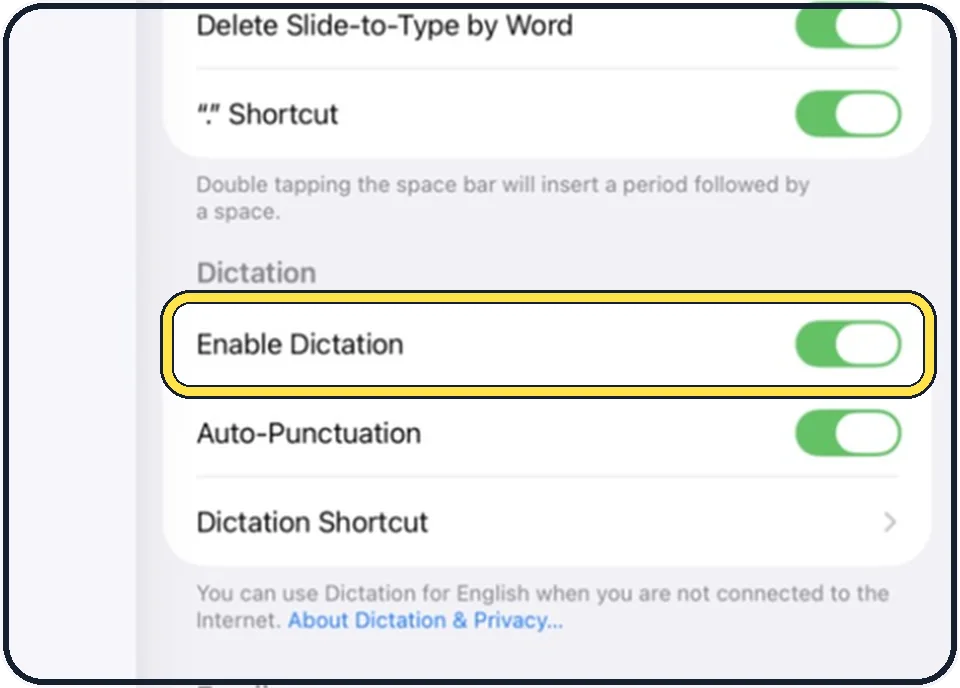
Scroll down and switch Enable Dictation on or off
The Dictation group is below the long list of typing switches. If a question appears when you switch it on, tap Enable Dictation.
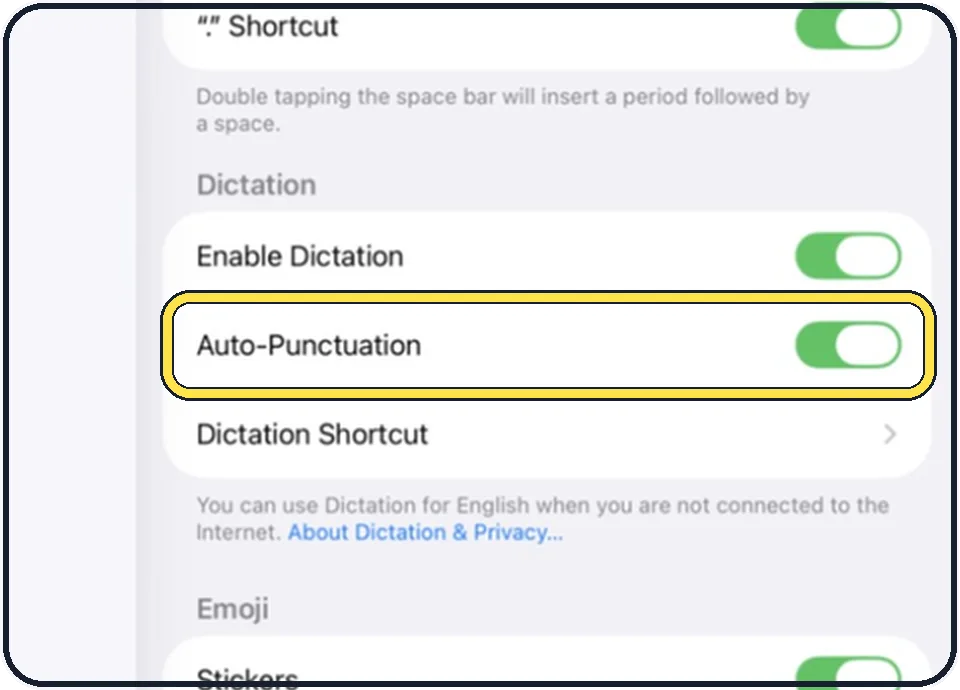
Decide about Auto-Punctuation
With it on, commas, full stops and question marks are added for you in supported languages. Switch it off if you prefer to say the punctuation yourself.
Dictate
Tap a text field, then tap the microphone key on the keyboard and speak.
Say "new line" or "new paragraph" for a line break, and the name of a punctuation mark or an emoji to insert it.
To stop, tap the microphone again or say "Stop dictation". After 30 seconds of silence it stops by itself.
If you do not see this option
- Your iPad may run a different version. The screenshots here show iPadOS 26.5 (iPad A16). On another version a setting can have a different name or sit in a different place. See your version under Settings, General, About. Update under Settings, General, Software Update; back up first, plug in and use Wi-Fi. Source: Find the software version on your iPhone Source: Update your iPhone or iPad
- It is greyed out. Screen Time restrictions can lock settings; Apple gives this as the reason when the Apple Account row is greyed out. Check Settings, Screen Time, Content & Privacy Restrictions. Source: If you can't sign out due to restrictions, or your Apple Account is grayed out in Settings
About this guide
Dictation types what you say, anywhere you can type. Apple states that it is processed on the iPad in many languages and then needs no internet connection; text dictated into a search field may be sent to the search engine.
The screenshots show iPadOS 26.5 on an iPad (A16), held upright. In landscape the same rows sit in the same order.
Good to know
The line below the switches in the picture says which language works without an internet connection. About Dictation & Privacy on the same page explains what is shared with Apple.
Dictation uses the language of the keyboard that is selected. To add one: Settings, General, Keyboard, Keyboards.
In short: Settings, General, Keyboard, Dictation, Enable Dictation.
Links checked on 4 October 2026. Rules and prices change. Check the official source before you act.