How to turn on Screen Distance on an iPad
2 min read · 5 steps · Updated 4 October 2026
Open Settings, tap Screen Time, tap Screen Distance and tap Continue. The iPad then shows an alert when it is held closer than 12 inches (about 30 cm) for a longer time. It only works on an iPad with Face ID.
- Device
- iPad
- Shown on
- iPadOS 26.5 (iPad A16)
- App
- Settings
- Path
- Settings › Screen Time › Screen Distance › Continue
- Real screenshots
- 5 of 5 steps
- Checked
- October 2026
- Sources
- 1 official, linked below
Holding a screen very close for a long time strains the eyes, and according to Apple it raises the risk of short-sightedness in children. Screen Distance measures the distance to your eyes and covers the screen with an alert until you move the iPad away or tap Continue.
It needs the TrueDepth camera, so it is only available on iPad models with Face ID and iPadOS 17 or later. For children under 13 in a Family Sharing group it is on by default.
The screenshots show iPadOS 26.5 on an iPad (A16), held upright. In landscape the same rows sit in the same order.
Step by step
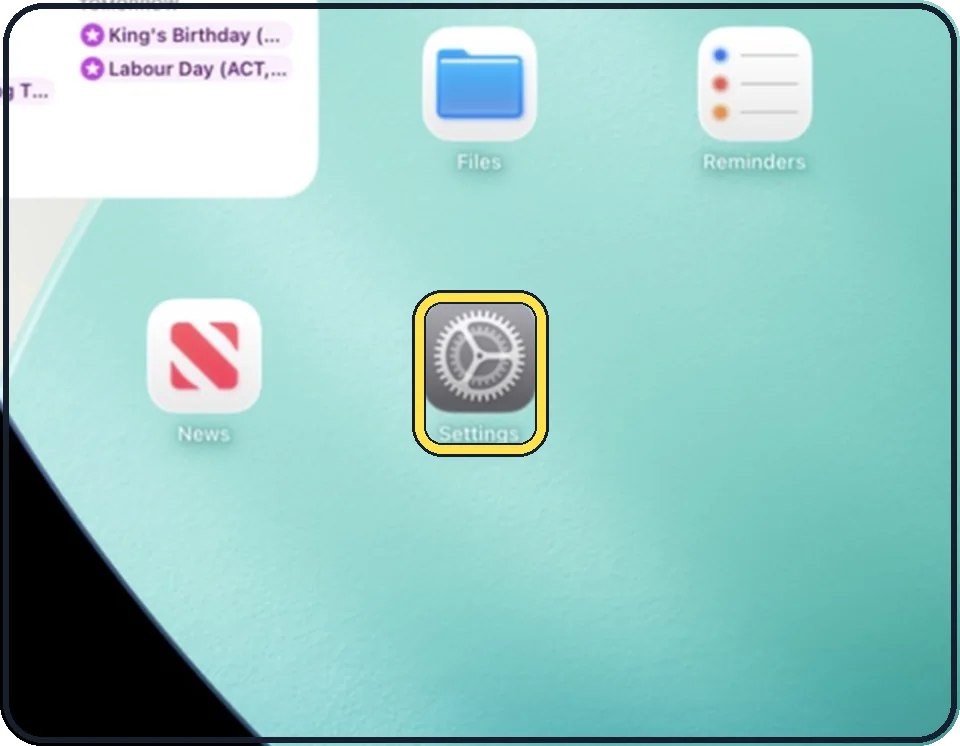
Open Settings
Tap the grey gear icon on the Home Screen. In the picture it is in the second row; it also sits in the Dock at the bottom.
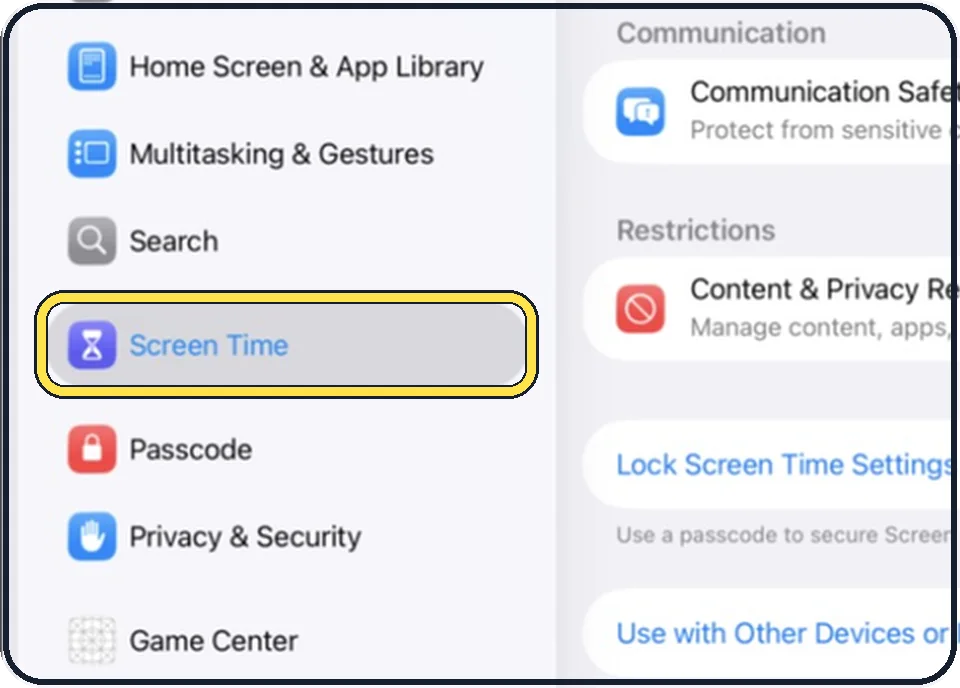
Tap Screen Time
It is in the list on the left, below Search.
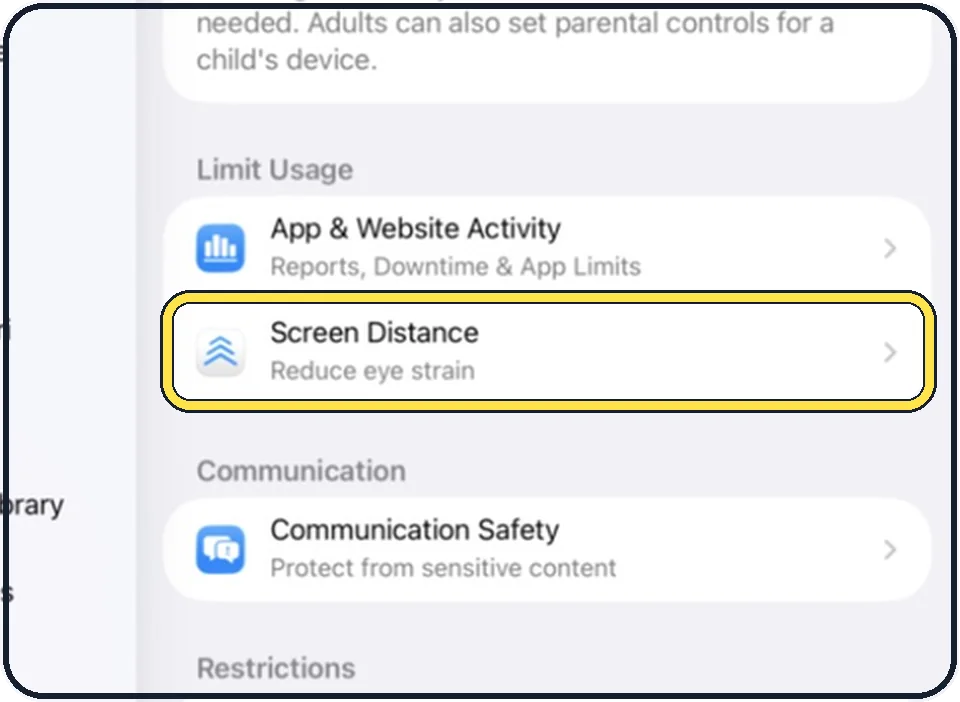
Tap Screen Distance
It is in the Limit Usage group, with the line Reduce eye strain below it.
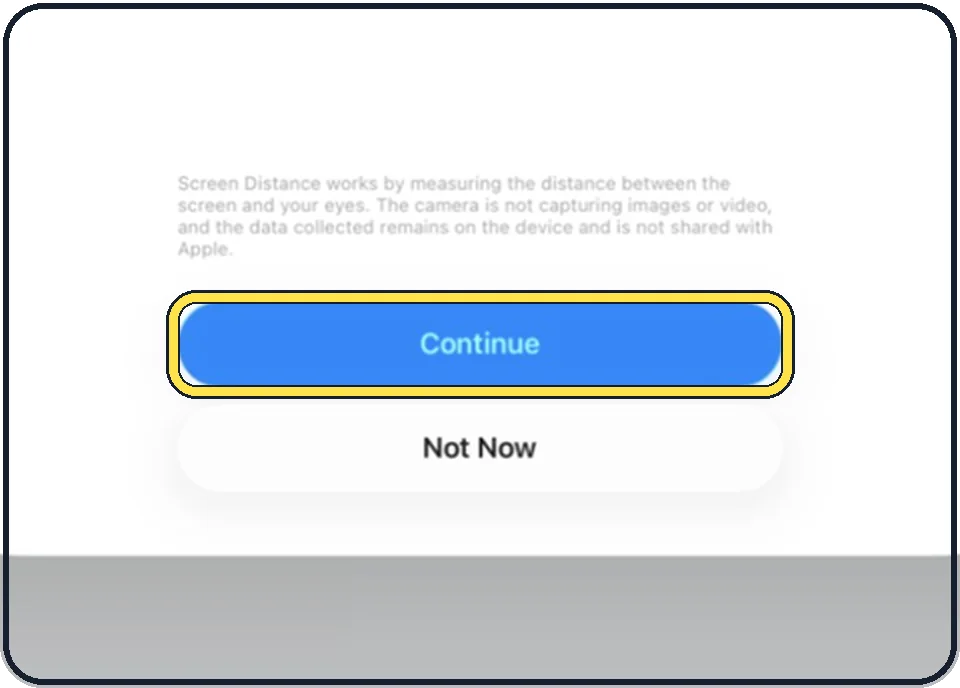
Read the explanation and tap Continue
The small print says how it works: it measures the distance between the screen and your eyes; the camera is not capturing images or video, and the data stays on the device and is not shared with Apple.
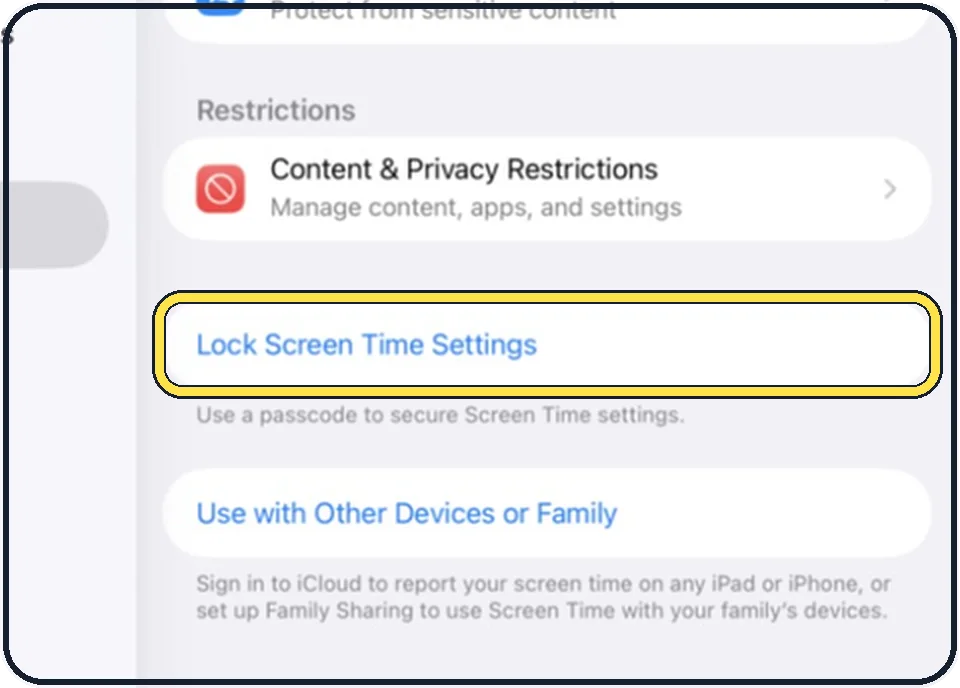
Protect the setting on a child's iPad
Back on the Screen Time page, tap Lock Screen Time Settings and set a passcode that the child does not know. Otherwise the child can switch Screen Distance off again.
Good to know
When the alert appears, move the iPad more than 12 inches away; a Continue button then lets you go on.
To switch it off later, open the same page and turn Screen Distance off. You may be asked for the Screen Time passcode.
In short: Settings, Screen Time, Screen Distance, Continue.
Links checked on 3 October 2026. Rules and prices change. Check the official source before you act.