How to make text bigger on an iPad
2 min read · 6 steps · Updated 4 October 2026
Open Settings, tap Accessibility, tap Display & Text Size and tap Larger Text. Drag the slider to the right. For even bigger letters switch on Larger Accessibility Sizes above the slider. Bold Text on the page before makes the letters thicker.
- Device
- iPad
- Shown on
- iPadOS 26.5 (iPad A16)
- App
- Settings
- Path
- Settings › Accessibility › Display & Text Size › Larger Text
- Real screenshots
- 6 of 6 steps
- Checked
- October 2026
- Sources
- 1 official, linked below
Bigger text applies to all apps that support Dynamic Type, as the page itself says. Nothing is lost by trying: the slider goes back the same way.
The screenshots show iPadOS 26.5 on an iPad (A16), held upright. In landscape the same rows sit in the same order.
Step by step
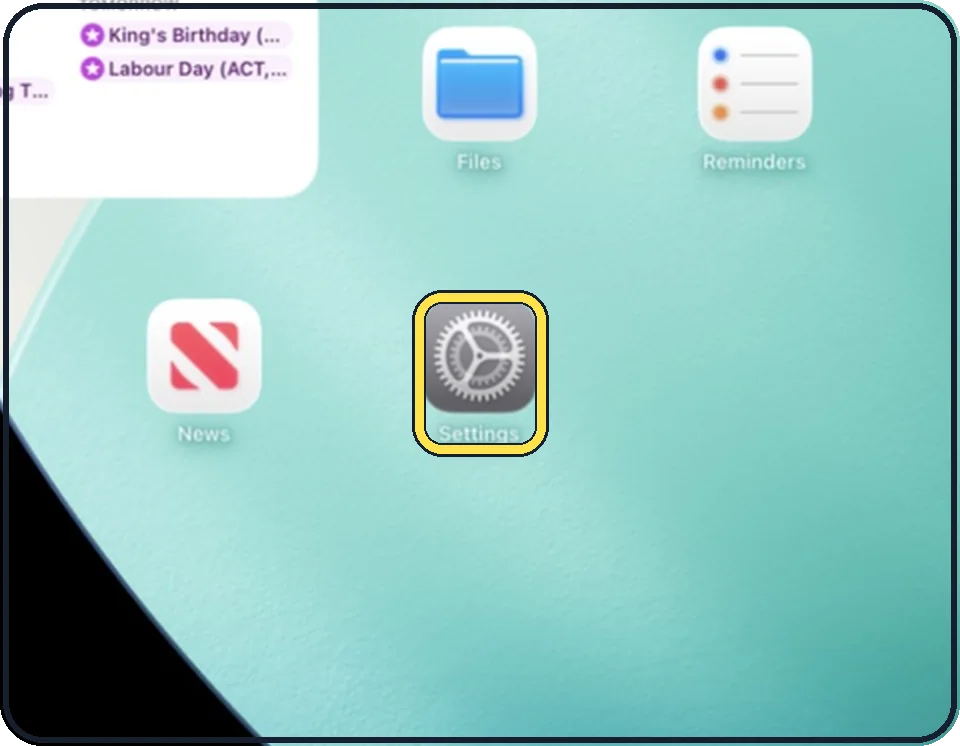
Open Settings
Tap the grey gear icon on the Home Screen. In the picture it is in the second row; it also sits in the Dock at the bottom.
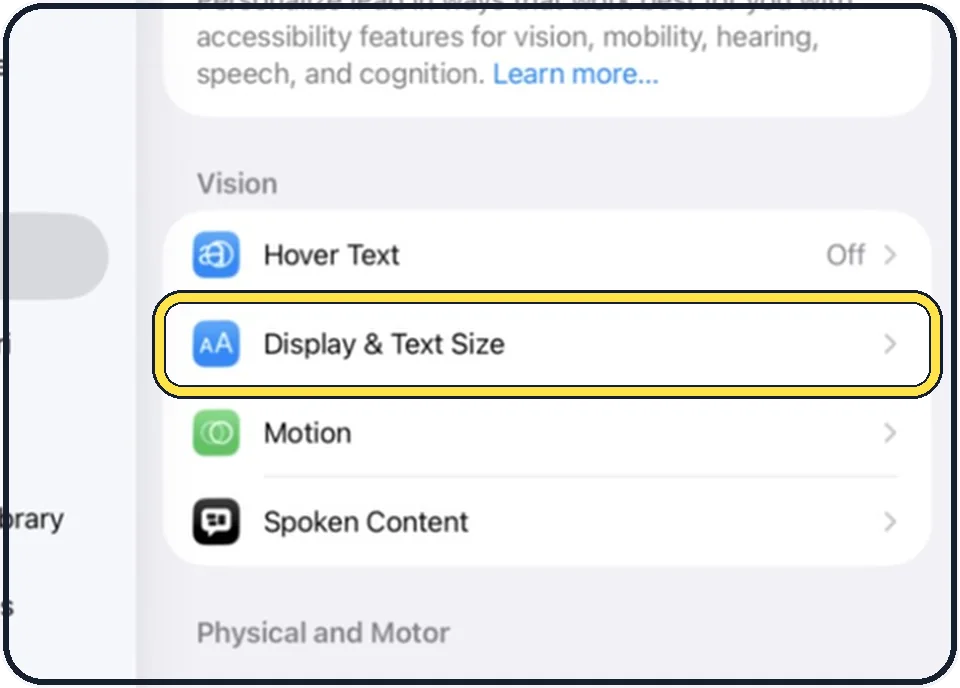
Tap Accessibility, then Display & Text Size
Accessibility is the second entry in the list on the left. Display & Text Size is in the Vision group on the right.
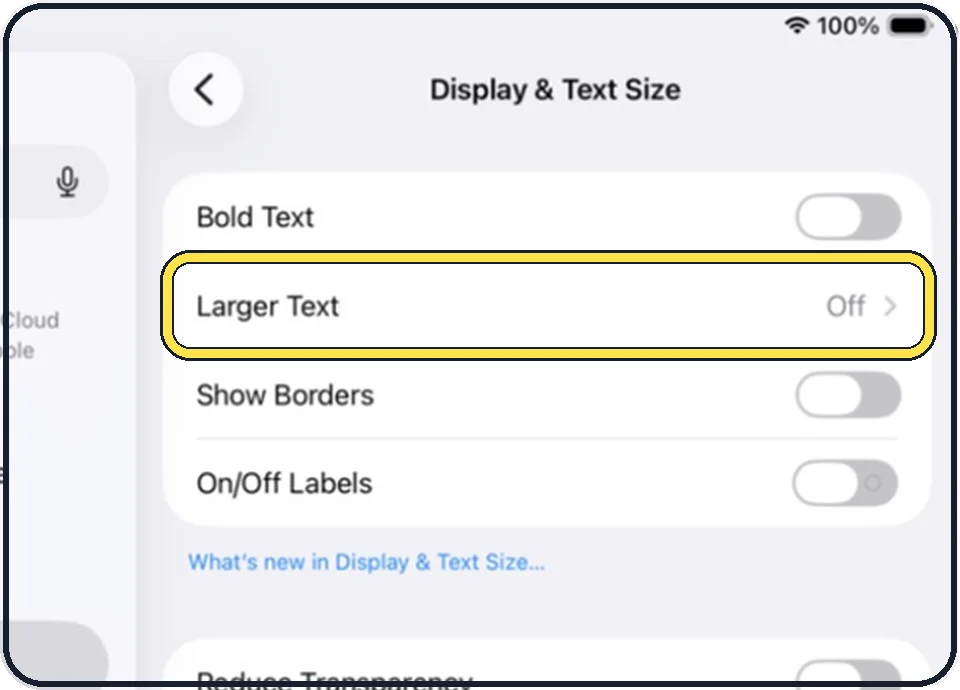
Tap Larger Text
The word Off at the right means the larger accessibility sizes are not switched on.
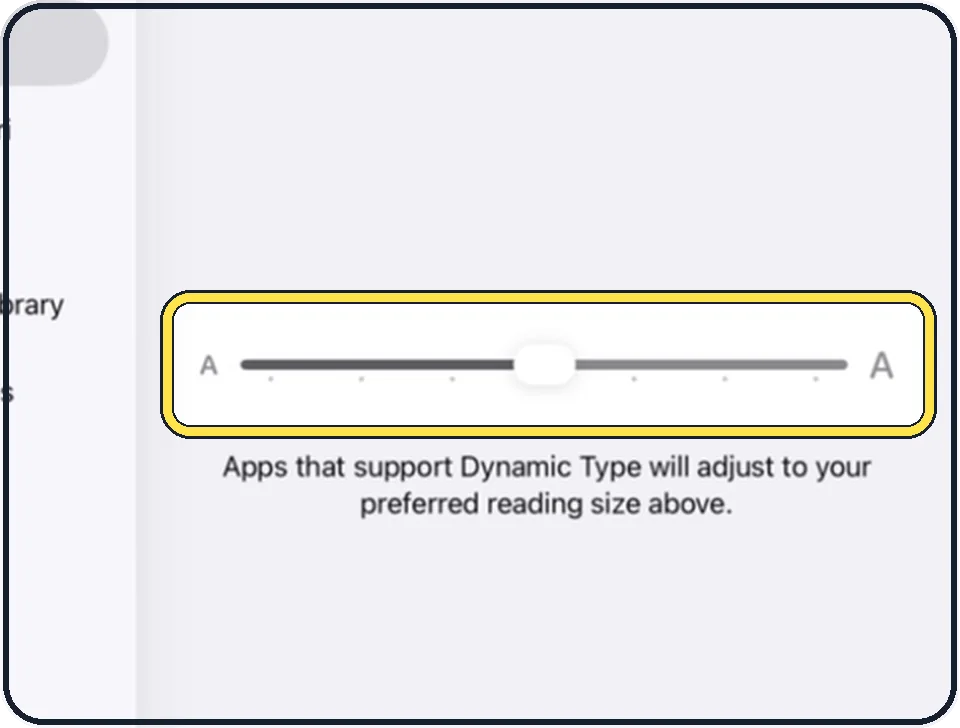
Drag the slider to the right
Each mark is one size. The small A is the smallest size, the large A the biggest.
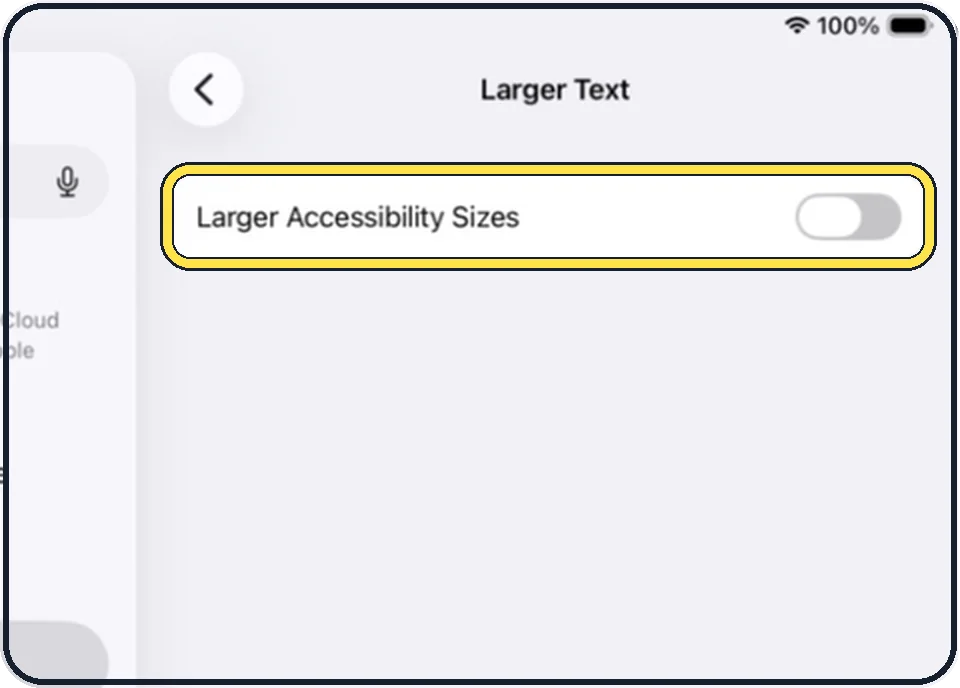
Switch on Larger Accessibility Sizes if that is not enough
Then use the slider again to choose your reading size.
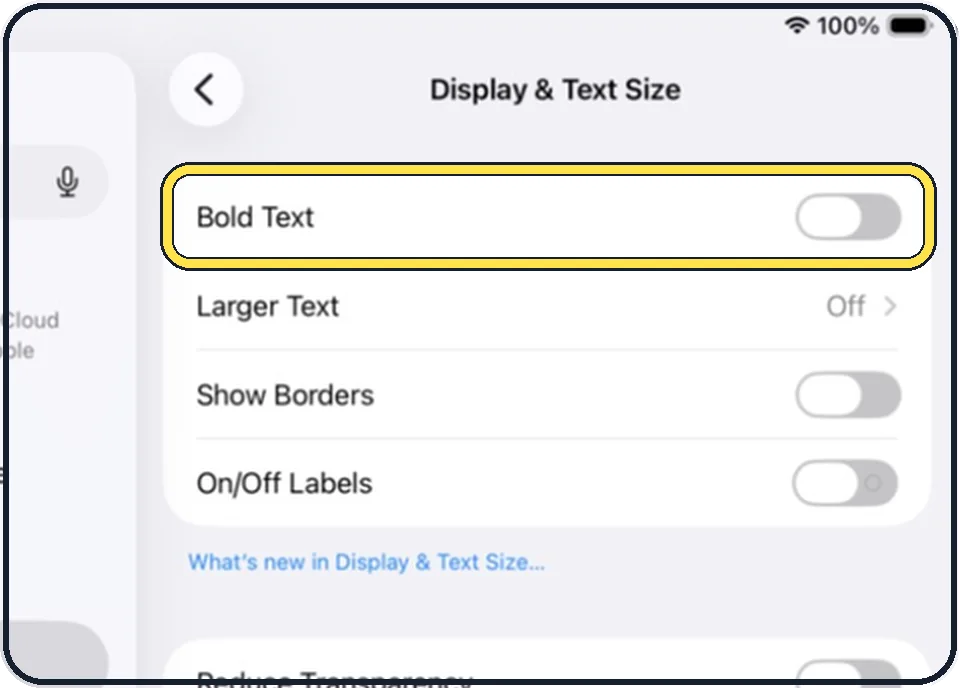
Add Bold Text
Go back one page and switch on Bold Text. It makes all text bold.
Good to know
The same steps on a phone: how to make text bigger on an iPhone.
In short: Settings, Accessibility, Display & Text Size, Larger Text, slider.
Links checked on 3 October 2026. Rules and prices change. Check the official source before you act.