How to make an Apple Watch chime every hour
2 min read · 6 steps · Updated 4 October 2026
On the watch, open Settings, tap Accessibility, scroll down, tap Chimes and switch Chimes on. Under Schedule, choose on the hour, or every 30 or 15 minutes. Under Sounds, choose Bells or Birds.
- Device
- Apple Watch
- Shown on
- watchOS 26 (Apple Watch)
- App
- Settings
- Path
- Settings › Accessibility
- Real screenshots
- 6 of 6 steps
- Checked
- October 2026
- Sources
- 1 official, linked below
With Chimes, the Apple Watch plays a short sound and a tap at regular intervals, so you can keep track of time without looking. The setting is in the Accessibility page, which is why few people find it.
The screenshots show watchOS 26.5 on an Apple Watch Series 11.
Step by step

Open Settings on the watch
Press the Digital Crown to see your apps and tap the Settings gear.
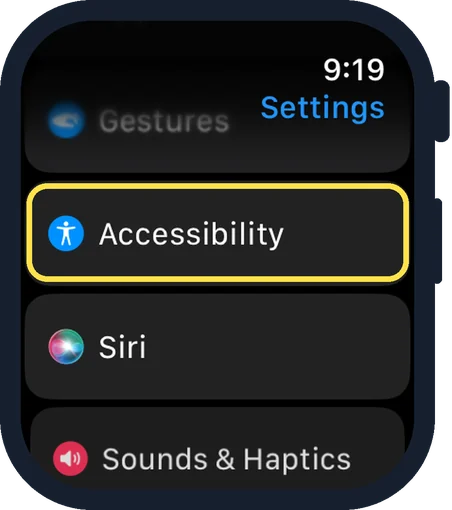
Scroll down and tap Accessibility
It is below Gestures and above Siri.
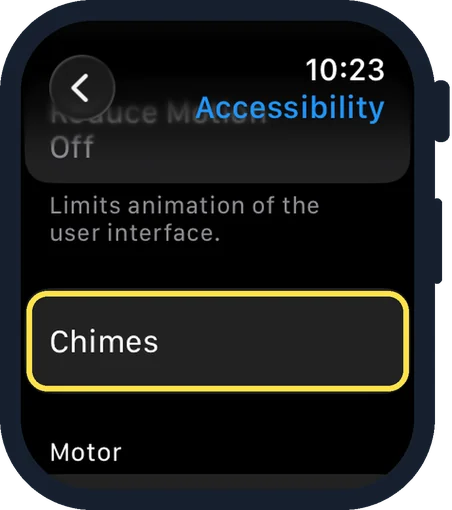
Scroll down and tap Chimes
Chimes is a long way down, below Reduce Motion and above the Motor group.
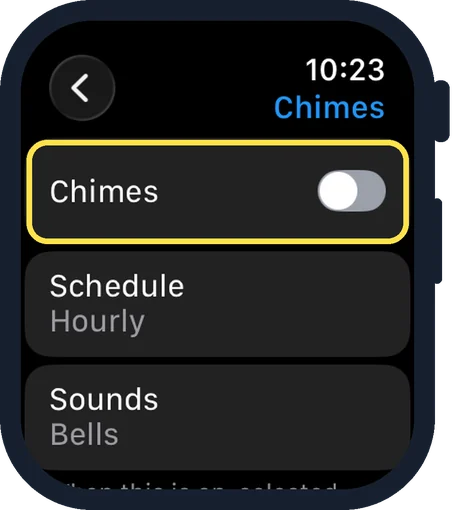
Switch on Chimes
It is the first row. In the picture it is off. The note on the page says: when this is on, selected sounds and haptics will play on the hour.
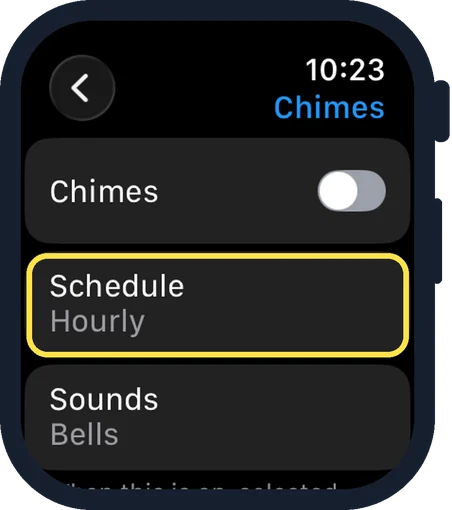
Choose how often
Tap Schedule. Apple lists the choices: on the hour, or every 30 or 15 minutes. In the picture it is set to Hourly.
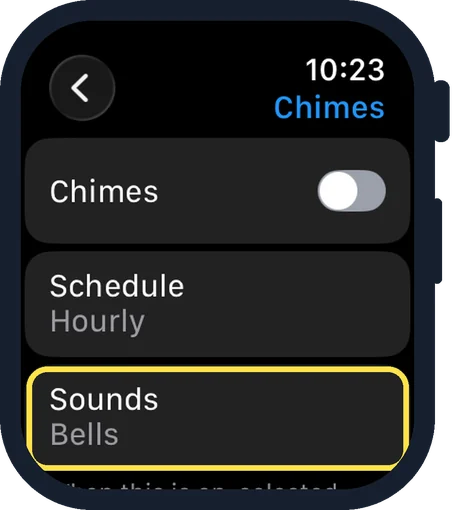
Choose the sound
Tap Sounds and choose Bells or Birds. In the picture it is set to Bells.
Good to know
The same settings are on the iPhone: open the Apple Watch app, go to the My Watch tab, tap Accessibility, then Chimes.
In Silent Mode the watch makes no sound: how to turn on Silent Mode on an Apple Watch.
In short: Settings, Accessibility, Chimes on, then Schedule and Sounds.
Links checked on 3 October 2026. Rules and prices change. Check the official source before you act.