How to make an iPad read selected text aloud
By Saadat Rafiq · 2 min read · 5 steps · Updated 4 October 2026
Open Settings, tap Accessibility, tap Spoken Content and switch on Speak Selection. Then select any text in an app and tap Speak in the small menu above it. The iPad reads the selection aloud, even with VoiceOver off.
- Device
- iPad
- Shown on
- iPadOS 26.5 (iPad A16)
- App
- Settings
- Path
- Settings › Accessibility › Spoken Content › Speak Selection
- Real screenshots
- 4 of 5 steps
- Checked
- October 2026
- Sources
- 1 official, linked below
Speak Selection is useful for long articles, for checking your own writing by ear and for anyone who reads slowly on a screen. VoiceOver stays off; only the text you mark is read.
In iPadOS 26.5, shown in the pictures, the entry is called Spoken Content. Apple's guide for the newest iPadOS calls the same place Read & Speak.
The screenshots show iPadOS 26.5 on an iPad (A16), held upright. In landscape the same rows sit in the same order.
Step by step
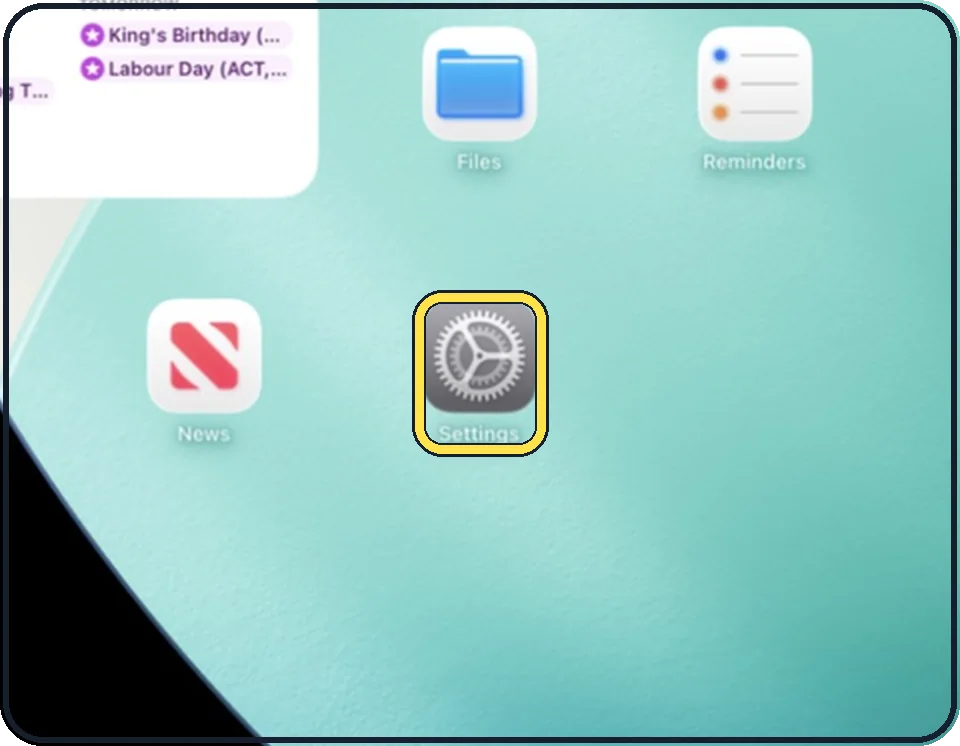
Open Settings
Tap the grey gear icon on the Home Screen. In the picture it is in the second row; it also sits in the Dock at the bottom.
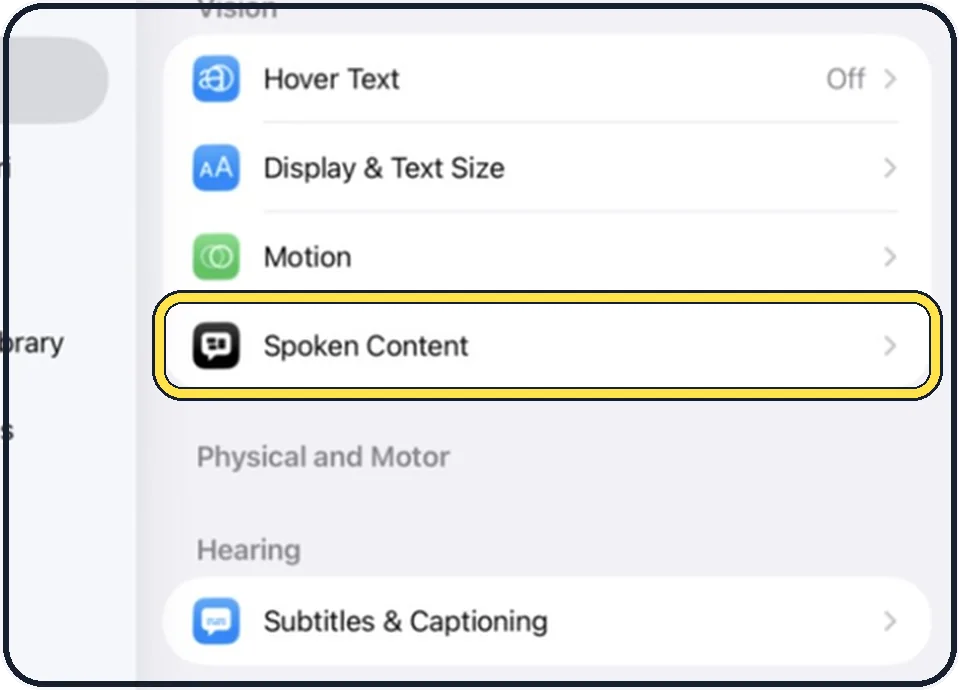
Tap Accessibility, then Spoken Content
Accessibility is the second entry in the list on the left. Spoken Content is the last row of the Vision group on the right.
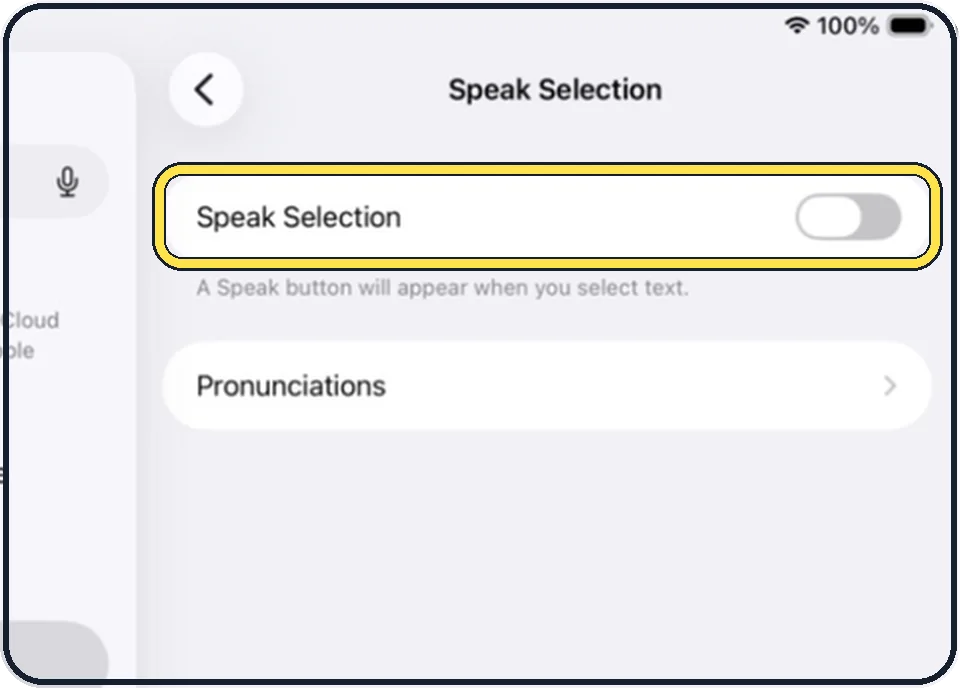
Switch on Speak Selection
The line below the switch says what happens: a Speak button will appear when you select text.
Select text and tap Speak
In any app, touch and hold a word, drag the handles over the text you want to hear, then tap Speak in the menu.
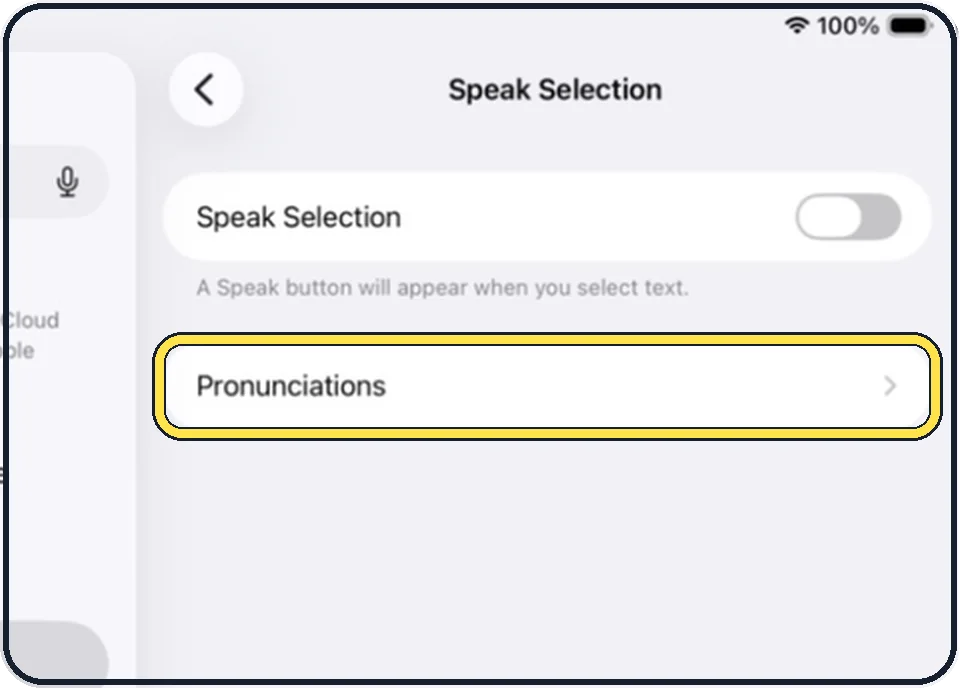
Teach it a word it says wrong
Tap Pronunciations on the same page, add the phrase and dictate or spell how it should sound.
Good to know
On a real iPad the same page also offers Speak Screen, which reads everything on the screen after you swipe down with two fingers from the top, plus voices and a speaking rate slider. The simulator used for the pictures shows only the two rows above.
In short: Settings, Accessibility, Spoken Content, Speak Selection, then select text and tap Speak.
Links checked on 3 October 2026. Rules and prices change. Check the official source before you act.